

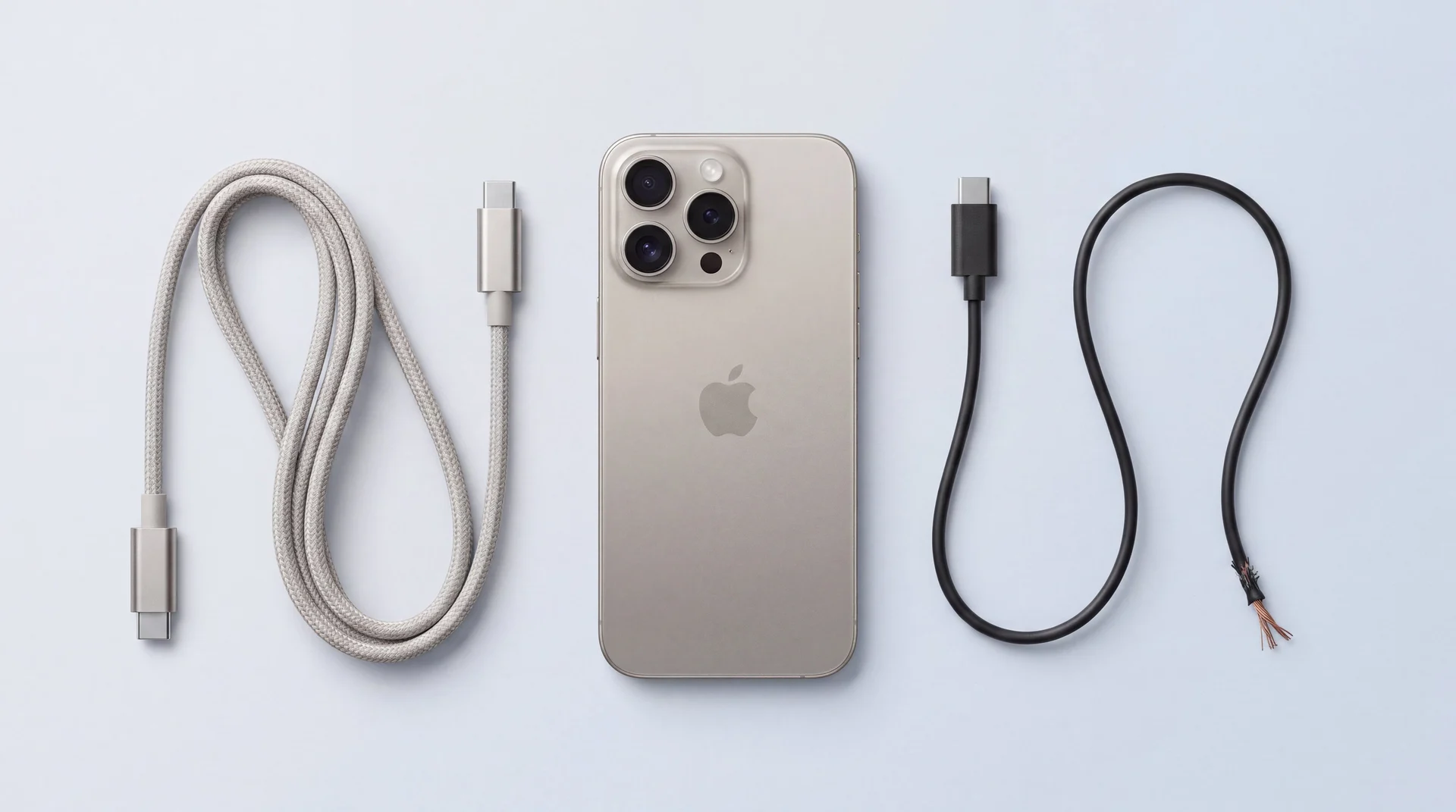
The short answer: a charging IC is the small chip on an iPhone's logic board that manages power coming in through the USB-C port, and on iPhone 15, 16 and 17 it is genuinely at risk from a cheap, non-certified cable or charger, not just an urban myth repair shops repeat. It is often not your iPhone that has failed, it is the bargain-bin cable in the drawer that has quietly overwhelmed it. The same goes for an iPad: it charges through the same USB-C connector, from the same drawer of cables, and one of the real cases below ruined an iPad and a phone together. Rule out the ordinary causes first, a blocked port, a worn cable, a frozen software state, but if a cable and adapter you actually trust still get nothing, the cause is more likely sitting on the board itself than in the port.
Rule out the ordinary causes first
Before assuming the worst, run through these eight. They cover the same ground as Apple's own support steps, plus what we look for on the bench. None of it costs anything, and it is the only way to tell an everyday fault from the chip fault below.
- 1
Try a cable and adapter you trust
Swap in a cable and wall adapter you know work on another device, ideally Apple-certified or MFi-certified. This alone clears most everyday charging complaints. And if the phone charges wirelessly but refuses every cable, the wired path is the suspect: the cable, the port, or the circuitry behind it.
- 2
Clean the port
Power off, then clear pocket lint gently with a wooden or plastic toothpick, never metal. Built-up lint physically blocks the connection and is mistaken for a dead port constantly. A part-blocked port can also charge slowly or only at certain angles.
- 3
Completely dead? Give it half an hour
A deeply drained battery can take a while to show any sign of life. Apple's own advice is to leave the phone on a known-good charger for half an hour, run the force restart in the next check, then give it another half an hour before concluding anything is broken.
- 4
Force restart it
Quick press Volume Up, quick press Volume Down, then hold the Side button until the Apple logo appears. Clears a frozen charging state with no cable needed. If a software update is waiting in Settings, install it while you are there.
- 5
Seen a liquid warning, or been near water?
If a liquid-detection alert appears when you plug in, or the phone has recently been wet, stop charging. Apple warns that charging with a wet connector can corrode the pins and cause permanent damage. Let it dry out completely, and if it went into anything other than clean water, have the port checked for corrosion.
- 6
Too hot or too cold?
iPhones are designed for 0 to 35 degrees C, and outside that range the phone protects itself: Apple documents that charging, wireless included, slows or stops until the temperature settles. A phone baking on a dashboard or freezing in a van may simply refuse to charge until it recovers.
- 7
Check the battery's own health
Settings, then Battery, then Battery Health and Charging shows the battery's maximum capacity. A battery well down on its original capacity struggles long before it dies, so a low figure there points at the battery rather than the cable or the chip. Stopping at 80 per cent, though, is normally Apple's Optimised Battery Charging doing its job, not a fault.
- 8
Watch how it charges, not just whether it does
Slow charging is usually a low-power adapter or a part-blocked port rather than the chip. But charging that stops and starts on a known-good cable, or that has kept getting worse over weeks, is an early warning sign worth taking seriously.
Tried all eight and it still will not charge? The diagnostic at mendmyi is free, and you get a fixed written quote before anything chargeable happens.
What is a charging IC, and how has it changed since the iPhone 15?
A charging IC is the chip on the iPhone's logic board that manages power coming in from the USB-C port, and since the iPhone 16 that job has been split across two chips rather than one. iFixit's teardown Chip ID guides, the closest thing to a public parts list Apple allows, show the iPhone 15 generation using a single battery-charger chip to manage incoming power. From the iPhone 16 onward, a second, dedicated USB-C controller chip sits alongside it, sourced from Texas Instruments on the 16 and 16 Pro, then switched to an NXP part on the iPhone 17 Pro and iPhone Air. Two chips working the charging path instead of one, with the exact silicon revised each generation. Nor is any of this unique to USB-C: Lightning-era iPhones have their own version of the same chip, known in the repair trade as Tristar, and the same board-level repair logic applies to them.
That matters because charging is an electronic negotiation, not a dumb socket. A compliant cable and charger identify themselves to the phone and agree a safe voltage and current before real power flows. A cable that skips the proper electronics to do that cheaply can, in the wrong circumstances, let more current through than the chip on the other end is built to survive. This is exactly what component supplier REWA documented on an iPhone 16 Pro brought in for repair: a non-certified USB-C cable with an incompatible pin layout shorted the board. Their bench readings are specific: an expected 570 ohms across the circuit measured just 36 ohms with the short present. The phone only worked again once both the USB IC and the USB controller IC were replaced. Phones are not the only victims, either: the same negotiation is what a badly made dock gets wrong when it kills the M92T36 charging chip in a Nintendo Switch.
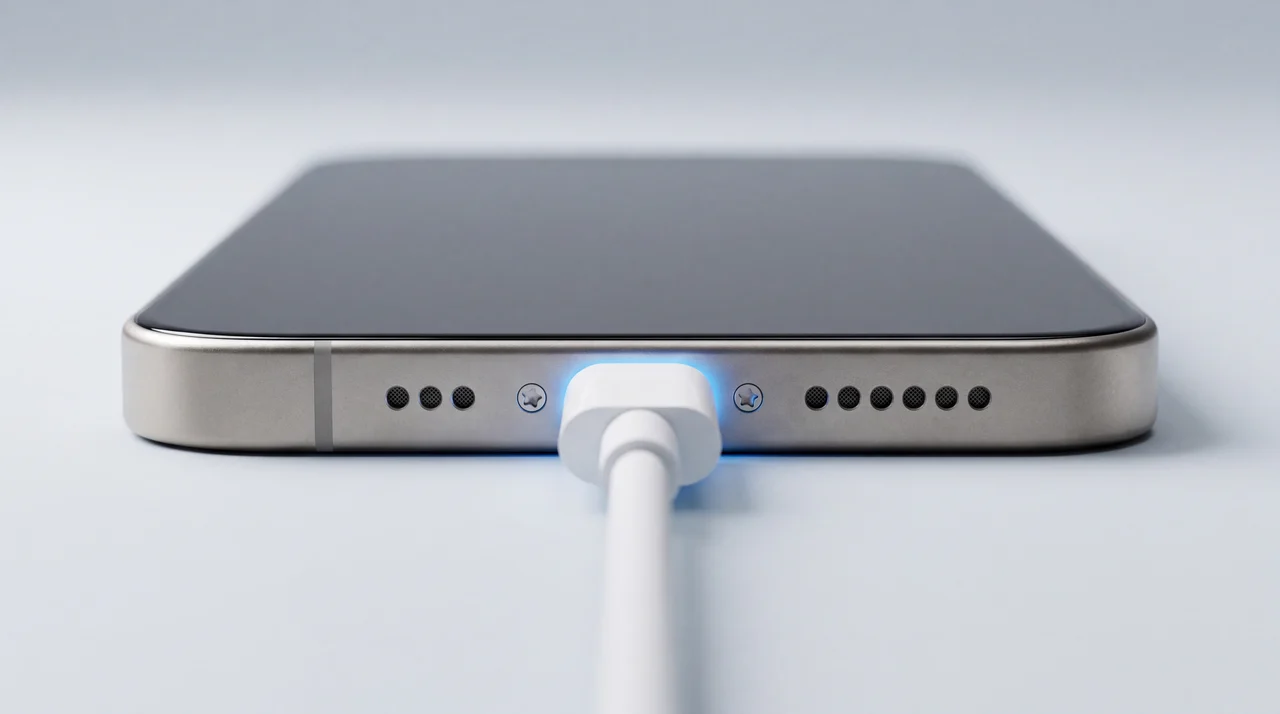
Why does a cheap cable damage the charging IC?
Because charging is a negotiation, and a cheap cable can skip the safety half of it. A certified USB-C cable and charger start at a safe 5 volts, identify each other, and agree how much power the connection can carry before stepping up. Both ends then watch voltage, current and temperature the whole time, cutting off if anything looks wrong. A cable missing the small chip that declares its own rating, or a charger built down to a price with no protection circuitry, cannot take part in that negotiation properly. And when it goes wrong, it tends to go wrong in a moment rather than by slow wear: REWA's case above was one badly wired cable shorting the board on a single connection. Every plug-in of an unprotected cable rolls that dice again.
This is not a fringe concern. Which? tested 15 chargers bought from seven online marketplaces in June 2026, among them Amazon Haul, AliExpress, B&Q's marketplace, Debenhams and eBay, and found 9 posed an electrocution risk, 8 a fire or explosion risk, and all 15 were missing the safety markings they are legally required to carry. One buyer told Which? a fake £11.99 "Apple" charger, found packed with modelling clay rather than real components, overloaded and ruined their iPad and phone, both of which stopped charging. The UK's Office for Product Safety and Standards flagged the same categories of risk, fire and electric shock, in its counterfeit USB-C charger report 2507-0047 the year before. None of this is new either: Electrical Safety First and Apple jointly tested fake chargers back in 2017 and found 49 out of 50 failed basic safety tests. The market for convincing fakes has not gone away, it has moved to USB-C. And if you suspect a particular cable or charger did the damage, retire it now and do not plug it into anything else: the buyer in that Which? case lost an iPad and a phone to the same fake charger.
Is this the same fault as the iPhone 17 charging story in the news?
It is not the fault this post is about.
In April 2026, iPhone 17 Pro and iPhone Air owners started reporting that after their battery ran completely flat, plugging in a USB-C cable would not wake the phone at all, sometimes with no charging icon or response for a long stretch, until ten to fifteen minutes on a MagSafe charger revived it. Apple has not confirmed a cause and it was not fixed by the iOS updates that followed. That is a reported software behaviour on stock Apple hardware and cables, on brand-new phones straight out of the box. It is a completely different story from a cheap cable damaging a charging chip over time, and one should not be mistaken for the other.
If your phone is a recent iPhone 17 Pro or iPhone Air, has never been near a dubious cable, and simply refuses to wake from a full drain, try the MagSafe workaround people have reported success with before assuming hardware damage. If your iPhone charged perfectly well for months or years and has recently started struggling after a cable swap, a trip, or a new cheap charger entering the house, that points the other way, towards the chip fault above.
Why does this show up more often after travel?
Travel does not create a new fault, it multiplies your exposure to chargers you would never buy at home. The mechanism is the same one described above: a cheap adapter or charger that does not regulate voltage and current correctly.
A cheap multi-country travel adapter is not simply a plug-shape converter. Many bundle in their own USB-C output circuitry, and where a well-made charger regulates a safe output across a 100 to 240 volt range by design, a poorly made one can fail to do that in any country's socket. At home you reach for the cable and adapter you know. Away from it, you end up with whatever is to hand: a market-stall cable, a borrowed charger from someone else's kit, a hotel-provided block of unknown origin, exactly the uncertified, unbranded hardware that Which? and the Office for Product Safety and Standards keep finding fails basic safety standards.
From the workbench, we see this pattern recur: an iPhone that charged perfectly well before a trip comes back in with a charging fault, and the story we hear is nearly always the same, a cheap local cable or charger picked up along the way. We could not point to one single case as proof and would not pretend to, but it has repeated often enough that we take a charging complaint arriving soon after travel more seriously as a possible chip fault, not just a coincidence.
How much does each charging fault actually cost?
A blocked port, a worn cable and a flat battery all have real, fixed prices below. A true charging IC fault does not, because the fix is micro-soldering a replacement chip rather than swapping a part, so a single figure would not be honest. We diagnose that for free and quote your exact iPhone individually, same as we do for the equivalent fault on iPad. In most cases the repair sits on the power side of the board rather than anywhere near your storage, so your data is usually untouched, though we confirm that for your specific device before starting rather than promise it blind. If the battery is your suspect instead, our iPhone battery guide covers the health checks worth running first, and if a charging fault has you weighing up whether an ageing iPhone is worth fixing at all, our repair-or-replace guide works through that decision.
iPhone 15
Updated automatically from our live price list
iPhone 17 Pro
Updated automatically from our live price list
| Fault | How it gets fixed | Your data |
|---|---|---|
| Lint-blocked port | Pop into the shop or contact us and we will clean it out | Untouched |
| Worn cable or adapter | We sell certified cables in store, pop in or contact us | Untouched |
| Worn battery | Fixed-price battery replacement, £96 on the iPhone 15 | Untouched |
| Damaged charging port | Fixed-price port repair, £96 on the iPhone 15 | Untouched |
| Damaged charging IC | Free diagnostic, then an individual micro-soldering quote | Untouched |
Charging IC fault? We do fix it, on the bench at our Haverhill, Suffolk workshop. Walk in, or post it to us free from anywhere in mainland UK, and you get a free diagnostic and a specific quote for your exact iPhone before anything chargeable happens.
Charging IC Repair Quote
Tell us your iPhone model and what you have tried, and we'll get back to you within 24 hours with next steps and what it is likely to cost.
Apple replaces. We repair.
The move to USB-C put more silicon in the firing line. Splitting the job across two chips instead of one, as covered above, gives a bad cable more to overwhelm, and REWA's bench case shows how little it takes to short it.
That, paired with a fault Apple will not repair, is a bad combination for you as the owner. Apple does not offer a repair for it, it offers a different phone. And do not count on the standard warranty stepping in either: Apple's own UK warranty terms exclude damage caused by use with a third party component or product that does not meet Apple's specifications, which is exactly what a bargain-bin cable is. That is a choice, not a law of physics. Apple Stores and its authorised service providers are not set up for board-level micro-soldering, so a failed chip becomes a reason to swap the whole device rather than fix the one component that broke. Apple's own Express Replacement Service documentation confirms the mechanics for AppleCare+ customers: you are sent a different physical iPhone while your original is erased and posted back to Apple. Outside AppleCare+ it sits in the "other damage" fee tier, priced as a device swap, not a component repair.
Apple's advice is to back your phone up first, but that is not real advice here. A phone that will not charge often cannot be switched on for long enough to back up at all. If you had not already backed up before this started, Apple's replace-not-repair route can mean your holiday photos, your baby photos, your business contacts, gone for good.
A working logic board and a working chip, thrown away for one failed component. That is wasteful, and it is not your loss to carry.
We can fix it.
We replace only the failed chip, on your own logic board, in your own phone. Nothing else leaves it, including your data.
Get Your Charging IC Quote
Tell us your iPhone model and what you have tried, and we'll get back to you within 24 hours with next steps and what it is likely to cost.
The bottom line
Rule out the ordinary causes first, a blocked port, a worn cable, a frozen phone, because most charging complaints really are that simple. But do not assume every stubborn charging fault on an iPhone 15, 16 or 17 means a new phone. Some of them trace back to a cheap cable or charger overwhelming the charging chip on the board, a fault we fix on the bench, usually without touching your data, and price individually because no flat fee could cover every case. Read our iPad charging guide if you have one of those showing the same symptom, the chip fault behind it is the same story on a different device. Bring your iPhone in for a free diagnostic and you will know exactly what you are dealing with before you spend a penny.
iPhone charging IC and cheap cable damage: your questions answered
Why won't my iPhone charge properly?
Most of the time it is one of three ordinary things: a blocked port, a worn cable or adapter, or a frozen software state a force restart clears. But a small number of iPhone 15, 16 and 17 charging faults trace back to something less obvious: a cheap or non-certified USB-C cable or charger that has damaged the charging IC, the chip on the logic board that manages power coming in. Work through the free checks first. If a cable and adapter you trust still get nothing, that points towards the chip rather than the port.
What is a charging IC?
It is a small chip, or pair of chips, on the iPhone's logic board that manages how power flows in from the USB-C port to the battery. iFixit's teardown Chip ID guides show a real shift in this hardware: the iPhone 15 generation has a single battery-charger chip, while the iPhone 16 onward adds a second, dedicated USB-C controller chip alongside it, first from Texas Instruments and switched to NXP for the iPhone 17 Pro and iPhone Air. It sits inside the device, physically separate from the port itself, so a new port will not fix it if this chip has failed.
Can a cheap USB-C cable really damage my iPhone's charging chip?
Yes, and it has been demonstrated on the bench, not just claimed. Component supplier REWA tested an iPhone 16 Pro brought in with a non-certified cable that had an incompatible pin layout: it shorted the board. Their multimeter readings tell the story plainly, an expected 570 ohms across the USB circuit dropped to 36 ohms with the short present, and the board only read normal again once both the USB IC and the USB controller IC were replaced. A genuine cable and charger negotiate power safely with the phone using a proper handshake; a cut-price one that skips those electronics can, in the wrong circumstances, let through more than the chip is built to handle. iPads are exposed to exactly the same risk, since they charge over the same USB-C hardware: the fake charger in the Which? investigation we cover in this post ruined its buyer's iPad and phone together.
How much does it cost to fix an iPhone charging port?
On an iPhone 15, a charging port repair and a battery replacement are both £96, fitted the same day in most cases with 12 months of warranty. Pro models run higher, so we always confirm your exact model before quoting.
How much does it cost to fix a charging IC on an iPhone?
It is not one of our standard listed repairs, because fixing it means micro-soldering a replacement chip onto the logic board rather than swapping a part, so a single number cannot cover every case honestly. We diagnose it for free and price your exact iPhone individually before anything chargeable happens. In most cases, because the fault sits on the power-management side of the board rather than the storage chip, the repair does not touch your data, though we always confirm that on your specific device before starting rather than promise it as a blanket rule.
Is the iPhone 17 Pro or iPhone Air charging problem in the news the same fault?
No, and it is worth being clear about the difference. In April 2026 several iPhone 17 Pro and iPhone Air owners reported that after the battery ran completely flat, plugging in a USB-C cable would not wake the phone at all, with a MagSafe charger for ten to fifteen minutes reviving it. Apple and reporters covering it have not confirmed a cause, and it was not fixed by the iOS updates that followed. That is a reported software behaviour on stock Apple hardware and cables. It has nothing to do with a bad cable physically damaging a charging chip, which is a hardware fault with a completely different cause and a completely different fix.
Will Apple's own repair for a charging fault erase my data?
Very likely, yes, and backing up first is not always an option here. Apple does not do board-level repair, its stores and authorised service providers are not set up for micro-soldering, so a failed charging IC becomes a reason to swap the whole phone rather than fix the one component that broke. AppleCare+ customers using Express Replacement Service are sent a different physical iPhone by post while the original is erased and sent to Apple, so it is not the same phone you started with. Outside AppleCare+ it falls into Apple's pricier out-of-warranty tier for exactly the same reason. Apple's advice is to back up beforehand, but a phone that will not charge often cannot stay powered on long enough to do that, so if you had not already backed up, that route can mean losing what was on it for good. A specialist charging IC repair replaces the failed chip on your own logic board, so your original storage chip, and your data, generally never leaves the device.
Is it worth fixing an iPhone with a charging fault, or should I sell it?
If it is one fault on an iPhone that otherwise works fine and still gets iOS updates, yes, that is a small repair against a device worth a lot more, whether it turns out to be the port, the battery or the charging chip. If it is an older, lower-value model already struggling in other ways, selling it to us for parts, even completely dead, or putting the value towards a refurbished upgrade with a full warranty usually makes more sense than paying to fix it. A free diagnostic tells you which side of that line yours sits on before you spend anything.
Iffy charging even with a good cable? Let us take a look
Free diagnostic, a fixed written quote before anything chargeable happens, and 12 months of warranty on every repair.