

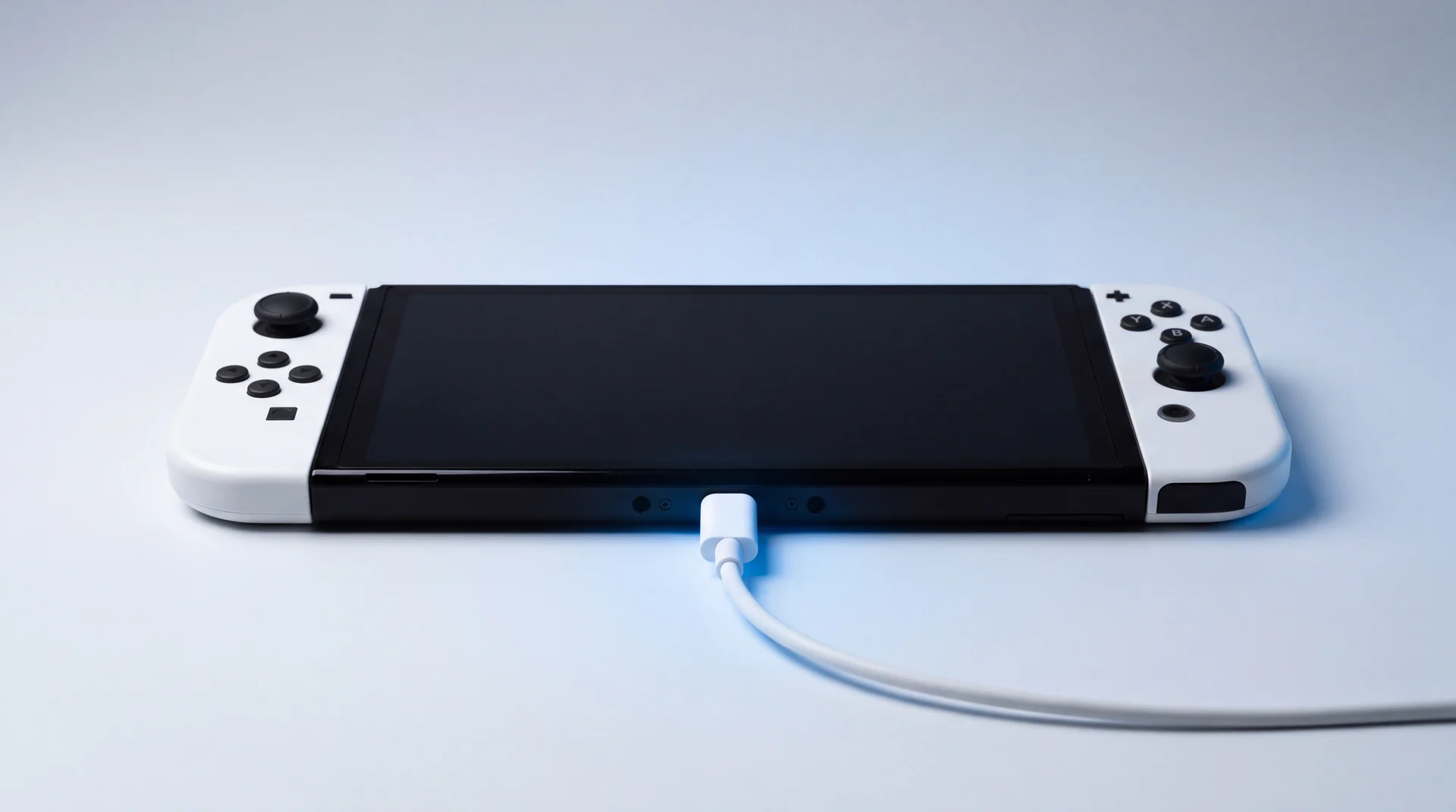
Nintendo Switch Not Charging? The M92T36 Explained
By Riki Baker · Updated 18 September 2026
The M92T36 is the USB-C Power Delivery chip in the original Nintendo Switch, Switch Lite and Switch OLED: the part that agrees a voltage with the charger or dock before any power is let into the console. When a Switch will not charge and a flat battery and a bad adapter have been ruled out, it is usually this chip, the USB-C port in front of it, or the charger chip behind it. If yours has only just stopped, start with the free fix: unplug the adapter from both ends for 30 seconds, plug the official adapter straight into a wall socket, and give a flat console 15 to 30 minutes before you judge it.
Our view, from the bench: a Switch that will not charge is a broken link in a chain of four parts, not a mystery. Plug a dead one into a USB-C power meter and ours read 0V, 0A, or both, which puts the fault at the front of the chain, before the battery ever sees a thing. The skill is finding which link broke and whether something else killed it, because a new M92T36 fitted onto a board with a second fault can die the moment it is powered.
Switch not charging? Try these free checks first
Plenty of "dead" Switches are just very flat. Run these first. They cost nothing, and they are what Nintendo UK's own support page asks for before a repair.
-
Reset the adapter. Power the console off, unplug the AC adapter from both the wall and the console, and leave it unplugged for at least 30 seconds.
-
Force a full shutdown. Hold the power button on top of the console for about 20 seconds, then let go. Nintendo's support page includes this step, and it clears a console that has frozen rather than died.
-
Use the official adapter, straight into the wall. Nintendo names the HAC-002 adapter and asks for a wall socket rather than a power strip, and a different socket if the first does nothing.
-
Give a flat battery time. A nearly empty console keeps its screen dark and only flashes a small charging indicator in the top-left corner. Nintendo says to leave it at least 15 to 30 minutes before switching it on.
-
Look in the port. Shine a torch into it. Packed lint stops the plug seating fully. iFixit suggests air and a non-metal tool such as a shaved toothpick, never anything metal.
-
Rule out the dock. On a Switch or Switch OLED, charge the console directly from the adapter rather than in the dock. If it charges from the adapter but not in the dock, look at the dock and its connection before the console. The Switch Lite cannot be docked to a TV at all, so this step does not apply to it.
Still no charging indicator after all six? Then it is not a flat battery or a fussy socket. Nintendo's own conclusion at this point is that the console needs repairing.
If you would rather not go further yourself, book a free Switch diagnostic. We find which part failed before anything is agreed, and our Power Circuit Repair is £96, with no fix, no fee. Want to understand what has actually broken first? The rest of this guide walks through it.
What happens inside a Switch when you plug it in
Power passes through four parts, in order, and a break at any one of them stops everything after it. Knowing the order is what turns "it will not charge" into a specific, fixable fault.
-
USB-C port
Where the cable goes in. It is soldered straight to the board, so it is a microsoldering job rather than a clip-in part, and it carries the power and the data lines to the chips behind it.
When it fails: Charges only at a certain angle, the plug feels loose, or lint has packed the bottom of the socket.
-
M92T36
The USB-C Power Delivery controller. Before any real power flows, it talks to the charger or dock over the port's configuration lines and agrees what voltage to send. Nothing gets through until that conversation succeeds.
When it fails: The console takes no power at all. On a USB-C meter that reads zero.
-
BQ24193
A Texas Instruments battery charger chip. It takes the agreed input, feeds the console its main system supply and charges the battery at the same time, and it can run the console on a flat or missing battery.
When it fails: A short here can drag the input down, and it is one known reason a freshly fitted M92T36 dies again.
-
MAX77620
The main power management chip. When you press the power button it takes the system supply and switches on the console's many internal supplies in the right order, so the processor, memory and screen can start.
When it fails: The console may take a charge but never starts up.
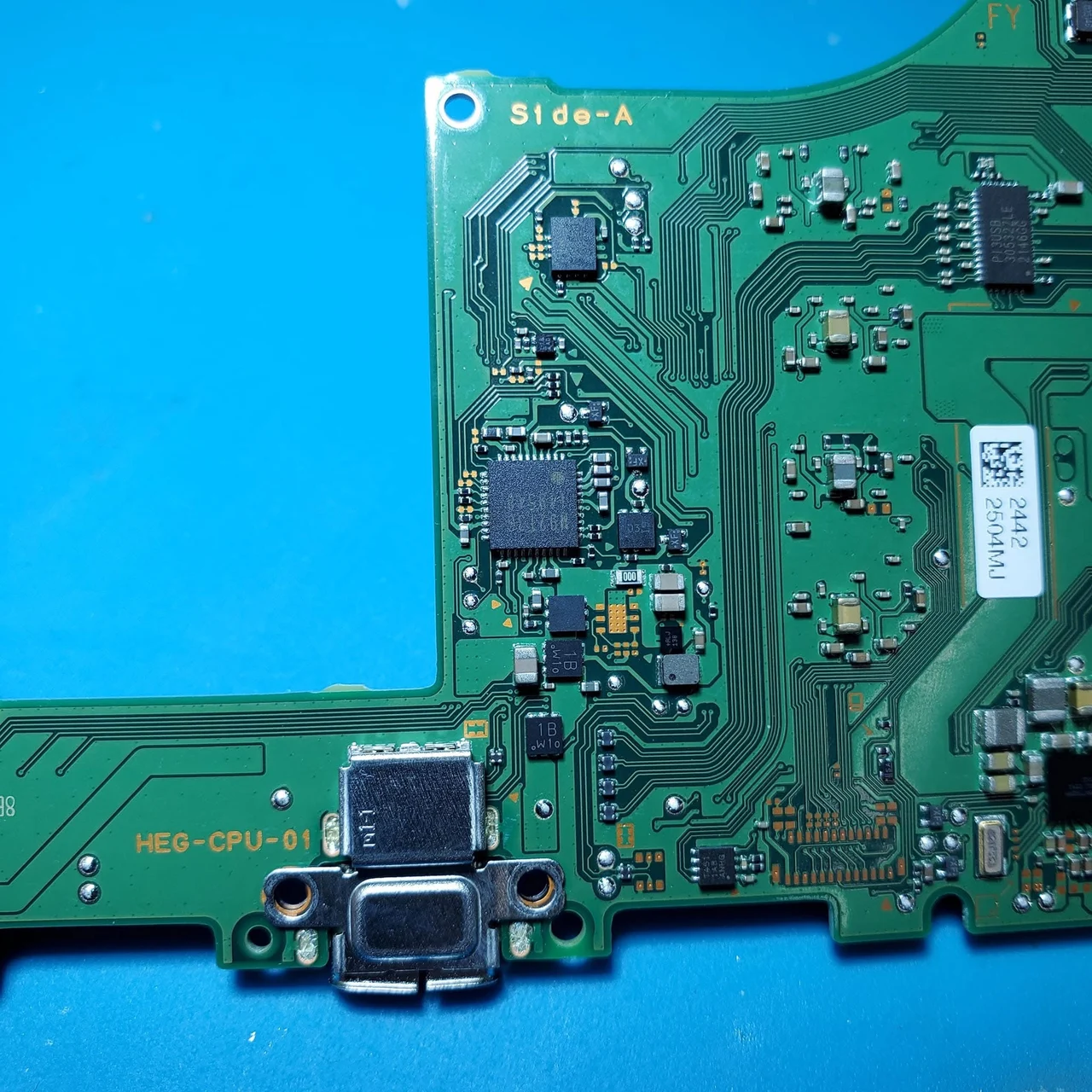
A Switch OLED board (HEG-CPU-01) on our own bench, not a stock photo. The silver connector at the bottom is the USB-C port, and the chips around it are the power circuit this guide walks through. A marker ring we had drawn on the board has been removed from the image.
There is a fifth chip worth knowing about, even though it carries no power. The PI3USB30532 routes the video signal out through the same USB-C port to the dock. It sits on the same port as the M92T36, so the event that damages one often damages the other, and a Switch that charges again but shows nothing on the TV is the tell-tale sign.
The part descriptions above come from Texas Instruments' own BQ24193 page and the MAX77620 documentation in the Linux kernel. We keep the M92T36, the BQ24193 and the MAX77620 on the shelf, because on a Switch that will not charge any one of the three can be the fault.
What does a reading of 0V or 0A mean?
A zero reading means the Switch is not accepting power at all, so the fault is in the port or the chips right behind it, not the battery. A worn battery still draws current. A console with a failed power controller does not.
On the bench we put a small USB-C power meter between a known-good charger and the console. It shows the voltage and current actually flowing into the Switch. The ones that come to us with this fault read 0V and 0A, or show a voltage with no current flowing at all.
That reading narrows it to the front of the chain, but it does not say which part. A worn port, a dead M92T36 and a shorted BQ24193 can all read the same on a meter. Telling them apart takes the board out of the case and a proper look at each part. So an honest shop will not quote a firm fix from the meter alone.
Why do some third-party docks kill the M92T36?
Because the chip only tolerates about 6V on the line it uses to negotiate power, and a badly made dock or cable can put far more than that on it. Once that line is over-driven the chip is gone, and without it no power gets in.
This came to a head in March 2018, when owners reported Switch consoles dying after use with some third-party docks. Nintendo told the press that unlicensed accessories have not been through its testing and evaluation. The clearest technical explanation came from an electrical engineer, reported by SlashGear. Some docks had no proper Power Delivery controller and put around 9V on the configuration pin. Poorly made USB-C plugs could also let the 15V power pin touch the configuration pin right next to it. That is an engineer's analysis, not a statement from Nintendo, but it matches how these boards fail. The Switch Lite has no dock, so for Lite owners the same risk comes from a badly made charger or cable instead.
There is a practical sting in it. Nintendo's UK warranty runs for 24 months, but it excludes defects caused by use with products that are not "supplied, licensed or authorised" by Nintendo, and names adapters, power supplies and non-licensed accessories. Whether a particular console falls under that exclusion is Nintendo's call when it inspects it. It is still worth knowing before you post it off.
The same thing happens on phones. A cheap charger can quietly damage the charging chip in a modern iPhone too, which we covered in why a cheap USB-C cable can kill an iPhone's charging IC. The lesson for either device is the same: the charger does not have to be official, but it has to be properly made.
Why a new M92T36 is not always the whole fix
If whatever killed the first chip is still on the board, it kills the second one too. Fitting a chip is the easy part. Finding what else failed is the job.
A surge strong enough to kill the M92T36 can also take out the BQ24193 behind it or the PI3USB30532 beside it. Fit a new M92T36 while one of those is still shorted and the new chip can fail the moment the console is powered, so "just swap the chip" is rarely the whole job.
So the order matters: the parts around the chip need checking before a new M92T36 is powered up, not after. That is the point of a proper diagnosis first, so you pay for the repair once.
Getting your Switch fixed
The quickest route is to bring it to us. If your Switch is still under Nintendo's warranty, that is worth knowing about too, so both are set out below.
Bring it to us
It starts with a free diagnostic, so you know which part failed before anything is agreed. If the fault is in the power circuit, that is our Power Circuit Repair, £96, on the original Switch, the Lite or the OLED. If the diagnostic finds something else, you hear the real number in writing before we touch it.
No fix, no fee, and 12 months of warranty on the work. Most repairs are turned around within a few working days once we have your device; we confirm the exact timescale with your fixed written quote. Walk in to our Haverhill workshop, or use free UK-wide collection and return.
Weighing that against a new console? The same maths we use in our guide to whether a repair is worth it applies here. A single failed part on a console you already own is almost always worth fixing.
Nintendo warranty
Free if the console is within 24 months of purchase and the fault is a defect. Damage Nintendo attributes to non-licensed adapters or accessories is excluded. Worth trying first if you only ever used the official charger and dock. Repairs can take up to 10 working days.
Nintendo out-of-warranty repair
A diagnosis, then a quote capped at a maximum of £120 for a Switch, £190.50 for a Switch OLED and £108 for a Switch Lite for a power issue, from Nintendo's UK repair price list (checked 16 September 2026). The maximum applies when the console is swapped for a replacement or re-manufactured unit, and in that case the console you get back is not your own.
The point of the whole exercise: a console back in the hands of the person it belongs to.
Switch not charging: your questions answered
How do I tell if a dead Switch is actually charging?
Plug the official adapter straight into a wall socket, not a power strip, and connect it to the console. Nintendo's UK support page says that on a nearly flat battery the screen stays dark and only a small charging indicator appears briefly in the top-left corner. Leave it plugged in for at least 15 to 30 minutes before you try to switch it on. If you never see that indicator, even after a proper 30-second reset of the adapter, the console is not taking power.
Why is my Nintendo Switch not charging when it is completely dead?
Two very different things look identical from the outside. Either the battery is so flat that the console needs 15 to 30 minutes on the charger before it shows any sign of life, or something in the power circuit has failed and no charge is going in at all. The first fixes itself with patience. The second is almost always the USB-C port, the M92T36 charging chip, or the BQ24193 charger chip behind it, and on our bench it shows up as a reading of zero on a USB-C power meter.
How do I revive a dead Nintendo Switch?
Start with Nintendo's own reset. Unplug the AC adapter from both the wall and the console for at least 30 seconds, hold the power button down for about 20 seconds to force a full shutdown, then plug the official adapter straight into a wall socket and leave it for 30 minutes. Try a different socket and, if you have one, test the adapter on another Nintendo USB-C device such as the dock or a Pro Controller. If none of that brings the charging indicator back, it is a hardware fault and resetting it again will not help.
Can a third-party dock or charger really damage a Switch?
Yes, and it is well documented. In March 2018 owners reported Switch consoles dying after use with some third-party docks. An electrical engineer's widely reported analysis put it down to docks without a proper Power Delivery controller putting too much voltage on the port's configuration line, which the Switch's M92T36 chip cannot tolerate. Nintendo's position is that unlicensed accessories have not been through its testing, and its UK warranty excludes defects caused by non-licensed adapters and power supplies.
How much does it cost to fix a Switch that will not charge?
It depends which part has failed, which is why a proper diagnosis matters before anyone quotes. If the fault is in the power circuit, it is our Power Circuit Repair, £96, with a free diagnostic first and 12 months of warranty. Nintendo's own out-of-warranty repair is capped at a maximum of £120 for a Switch, £190.50 for a Switch OLED and £108 for a Switch Lite for a power issue, according to its UK price list, and the maximum applies when the console is swapped for a replacement unit.
Does this apply to the Nintendo Switch 2?
Not directly. Everything in this guide is about the original Nintendo Switch, the Switch Lite and the Switch OLED, which share the M92T36 power circuit. The Switch 2 is a different board with its own parts, and it has two USB-C ports, one on the top and one on the bottom. Nintendo UK has a separate troubleshooting page for a Switch 2 that will not charge, and one of its checks is to try the adapter in the other port.
The bottom line
Reset the adapter, charge from the wall on the official adapter for half an hour, and clear the port. That brings back every Switch that was only flat, for nothing.
If it still takes no power, the fault is in a four-part chain at the front of the board, including the M92T36. It is fixable. Bring it in for a free diagnostic and you will know which part failed before you pay anything.
Own a Switch 2 instead? It is a different board, and Nintendo UK's Switch 2 charging page is the place to start.