

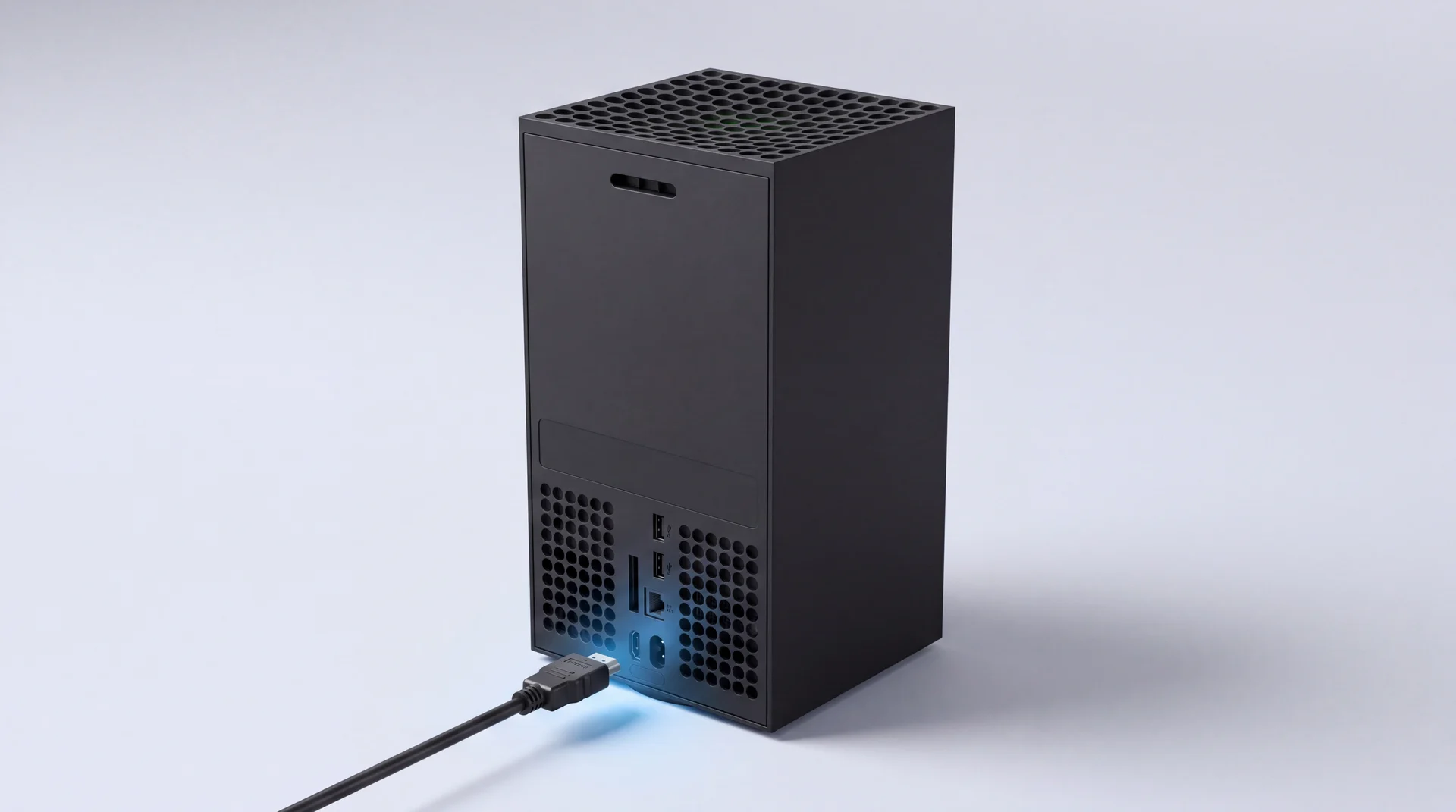
The short answer: an Xbox showing "No Signal" or a black screen is a wrong port, a setting or a cable far more often than it is a broken console. Start with the free checks: reseat or swap the HDMI cable, try a different port on the TV, confirm the input is right, then power cycle the console and force a low-resolution boot if it still will not display. If you have an Xbox One, check the cable is in HDMI OUT and not HDMI IN - a genuinely easy mix-up that looks exactly like a dead port. On a Series X or S losing signal only at 4K and 120Hz, that is usually a TV handshake quirk with Variable Refresh Rate, not a fault at all. Only if the port itself is visibly loose or physically damaged after all of that are you looking at a repair, and even then it is a routine, board-level fix rather than a reason to replace the console.
Which free check fixes this?
Work through these in order - most "No Signal" Xboxes are fixed by one of the first three, for nothing.
-
Reseat or swap the HDMI cable - push it firmly in at both ends, then try a cable you know works if you have one.
-
Try a different port on the TV and confirm the input is actually set to that port.
-
Xbox One only: check you are in HDMI OUT, not HDMI IN - more on this below, it is a common mix-up.
-
Try the console on a different screen entirely - another TV, or a monitor. If the picture comes back on the second screen, the fault is with the first TV or that socket, not with your Xbox.
-
Power cycle properly - hold the Xbox button on the front for about 10 seconds until it shuts down, unplug it for a minute, then restart.
-
Force a low-resolution boot in case the TV cannot display the resolution the Xbox is set to. On Series X and any Xbox One with a disc drive, hold Power and Eject together at startup until you hear a second tone. Series S has no disc drive, so it is Power and Pair instead. The console boots at 640x480, low enough for almost any screen, and you can reset the resolution from Settings once you have a picture.
Steps confirmed against Microsoft's own Xbox display troubleshooter. Still on a black screen after all six? Read on - there is one more free thing worth ruling out before you assume the port is dead.
Only losing signal at 4K and 120Hz? Your Xbox is probably not broken
On some 4K/120Hz TVs (LG, Samsung and Vizio sets have all been reported), an Xbox Series X or Series S set to 4K at 120Hz with Variable Refresh Rate (VRR) enabled can throw "No Signal" or a corrupted, glitchy image - not because anything is faulty, but because that specific combination does not shake hands cleanly with certain TVs.
If the picture works fine at a lower resolution or refresh rate but drops out specifically at 4K/120, this is almost certainly it. Go to Settings, General, TV & display options, Video modes, and either turn VRR off while staying at 4K/120Hz, or drop to 1080p or 1440p at 120Hz with VRR left on. It is also worth checking the cable: the lead in the box is genuine HDMI 2.1/Ultra High Speed rated for this bandwidth, and an older cable inherited from an Xbox One or a PS4 usually is not.
This is not a hardware fault at all, and it is the single easiest way to waste money on a repair you never needed.
Got an Xbox One? Check you are in the right port
If you own an Xbox One, One S or One X, the fastest free check is confirming your TV's cable is in HDMI OUT, not HDMI IN - mixing the two looks exactly like a dead port.
Series X and Series S each have a single HDMI port, so this does not apply to them. But the Xbox One, One S and One X all have two HDMI sockets on the back: HDMI OUT, which goes to your TV, and HDMI IN, a passthrough that lets you route a cable or satellite box's picture through the console. They are labelled on the console itself, but it is an easy mix-up to make in the dark behind a TV unit.
Plug your TV into HDMI IN by mistake and you get exactly the symptom that sends people looking for a port repair: total silence, no picture at all - because that socket was never meant to send a signal out on its own. Trace the cable back to the correct port, labelled OUT, before you conclude anything is broken. Confirmed against Microsoft's own Xbox One home-theatre setup guide.
Ruled all that out? Here is how to tell if the port is actually damaged
A physically damaged HDMI port shows two signs: bent, missing or blackened pins inside the port, or a connector that only makes a picture at a particular angle. Either one means the port needs replacing, not resetting.
With the console unplugged, shine a torch into the HDMI port and look closely at the row of thin metal pins inside. Then plug a cable in gently: if the connector feels loose or wobbles, the solder joints underneath have likely cracked away from the board - and that is not something a reset or a new cable will fix.
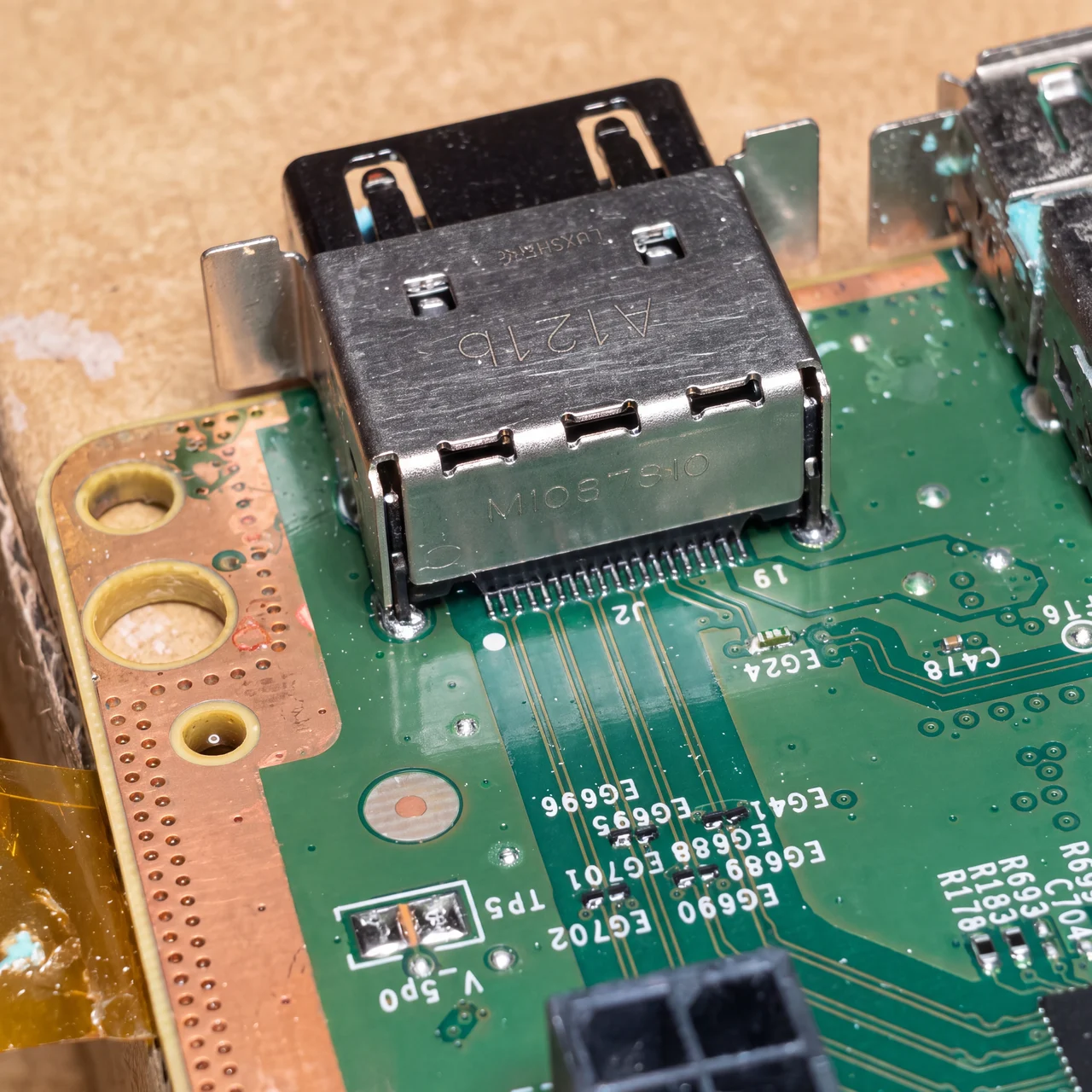
A real Xbox HDMI port off the board on our own bench, mid-repair - not a stock photo, and not staged for this post. Processed for clarity.
Why Xbox HDMI ports actually fail
The HDMI port is soldered straight to the Xbox's board on every model, Series or One. It is not built to take weight or sideways force, which is exactly what these three things put through it.
-
A drop or a knock
The HDMI port is soldered straight to the board, so even a small knock to the back of the console - or to the cable while it stays plugged in - puts the connector under a shock load it was never built to take. The pins or the solder joints underneath can crack without the case showing a mark.
-
Moving it while it is still plugged in
This is the one we see most on the bench. Repositioning the console on a shelf, or pulling it out to dust behind the TV unit, with the HDMI cable still connected puts sideways leverage straight through the port's joints. Unplug first - it takes five seconds and avoids the single easiest failure to cause.
-
A poor-fit or cheap cable
A loose, worn or bargain cable does not always announce itself as a cable problem. A connector that will not sit square rocks slightly every time it is touched, and that small repeated movement wears the port's contacts and joints down over months rather than in one moment.
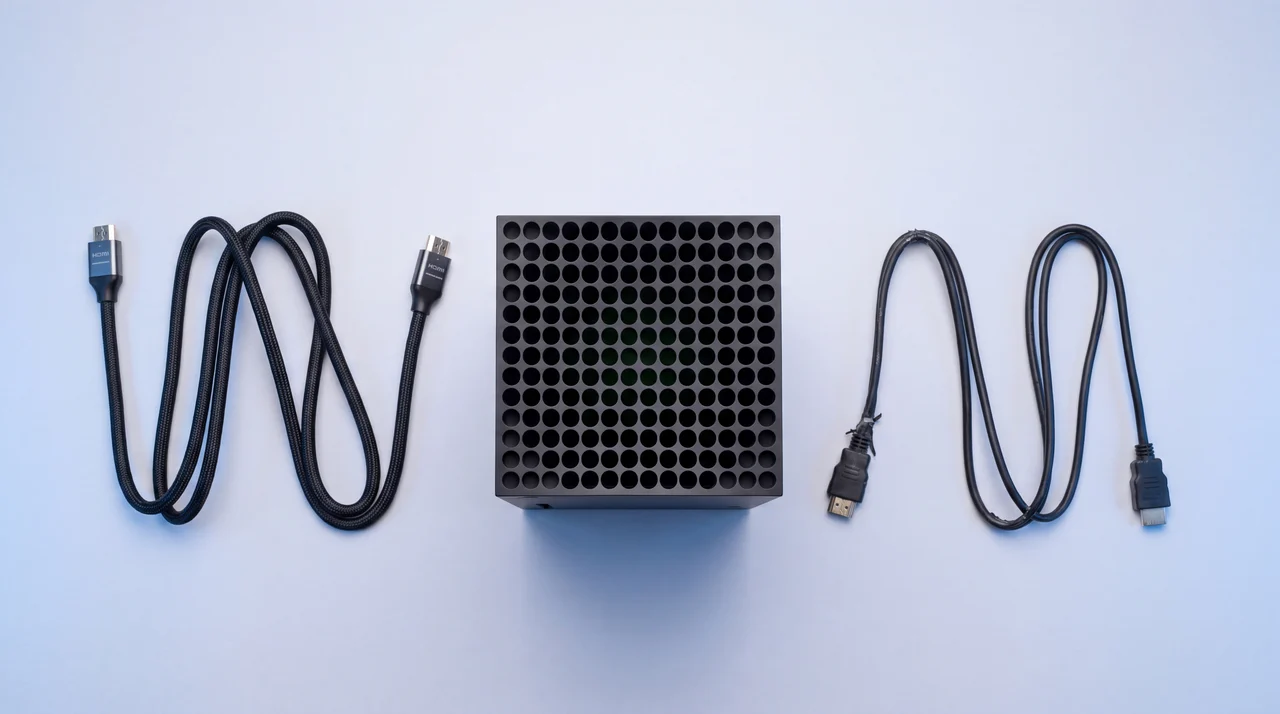
That is the pattern on our own bench too: forceful cable use, drops and a port that will not sit flush, not consoles simply giving out on their own. Nothing about it is particular to Microsoft, either - the same three causes are what put PS5 consoles in front of us with no picture, and it is the same job on the bench. Once it is physical damage, it is a soldered-to-board repair - not something to attempt at home without the right equipment.
Is this covered by your rights?
Better to tell you honestly than have you waste a phone call. A drop, a knock, moving the console while it stayed plugged in, or wear from a poor-fit cable is accidental or wear damage. Under the Consumer Rights Act 2015 that sits outside a claim against the retailer, because the fault was not there when you bought it - it happened afterwards, from an external cause. Microsoft's own 12-month manufacturer warranty works the same way: it covers genuine manufacturing defects, not accidental damage, so a yanked cable or a knock will not qualify there either.
The genuine exception is a console that fails this way very early, with nothing you can point to that might have caused it. Under section 19(14) of the Act, a fault appearing within six months of delivery is presumed to have been there from the start, so the burden is on the retailer to show otherwise - and if your console is still under Microsoft's 12-month warranty with no external cause you can point to, that route is worth trying first, since it costs nothing. Past that six-month mark, or once there is an obvious external cause, it is a repair job rather than a rights or warranty claim - a perfectly good outcome, since it is a genuinely straightforward fault to fix.
If it is the port, what happens next?
We start with a free diagnostic, so you know exactly what is wrong before anything is agreed. If it is a damaged HDMI connector, that is our HDMI Port Repair, from £86 - a board-level micro-soldering job on both the Series and One families, with a genuine replacement connector.
No fix, no fee, and 12 months of warranty on the work. If the diagnostic turns up something else - a disc drive, a power button or controller drift, say - you hear the real number before we touch anything, in writing.
Most common repairs are turned around within a few working days once we have your console; board-level jobs such as HDMI ports can take a little longer. We confirm the exact timescale with your fixed quote. Walk in to our Haverhill workshop, or use free UK-wide collection and return - contact us to arrange.
One stopgap worth knowing about while you sort the repair out: if you had already switched remote features on, Xbox remote play streams from the console to a phone, tablet or PC, so a dead HDMI port does not have to mean a dead console in the meantime. It has to have been enabled beforehand, though, because switching it on needs a picture. And if you are weighing the repair against simply buying another console, our repair-or-replace maths, written up for phones, works the same way here.
Xbox HDMI port: your questions answered
Why has my Xbox HDMI port suddenly stopped working?
Usually one of three things. Either a setting or a plug-in-the-wrong-port mix-up has got confused (both free to fix), or the cable itself has failed, or the port has taken physical damage - most often from a drop, a knock, the console being moved while the cable stayed plugged in, or a poor-fit cable wearing the connector over time. The checks below tell you which one you are dealing with before you spend anything.
How do I tell if my Xbox HDMI port is actually broken?
Work through the free checks first: a different cable, the correct port (see the HDMI IN/OUT mix-up below if you have an Xbox One), a power cycle, and a forced low-resolution boot. If none of those bring a picture back, look inside the port with a torch. Bent, missing or discoloured pins, or a connector that feels loose or only works at a particular angle, means physical damage - and that needs replacing, not resetting.
Which HDMI port do I plug my Xbox into?
If you have a Series X or Series S, there is only one HDMI port and this does not apply. If you have an Xbox One, Xbox One S or Xbox One X, there are two: HDMI OUT (to your TV) and HDMI IN (a passthrough for a cable or satellite box). Plugging your TV into HDMI IN by mistake looks exactly like a dead console - no picture at all - because that port is not designed to output anything on its own.
Can you fix the HDMI port on an Xbox?
Yes. It is a board-level micro-soldering job - the old connector is removed and a genuine replacement is soldered on in its place. It is not a job for a home repair unless you already have soldering experience and the right equipment, but it is a routine, well-understood fix for a repair shop with a proper soldering bench.
How much does it cost to fix an Xbox HDMI port?
Try the free checks first - a different cable, a different socket on the TV, a different screen entirely - because plenty of "No Signal" Xboxes never needed paying for at all. If it really is the port, that is our HDMI Port Repair, from £86, and the free diagnostic that confirms it costs nothing. No fix, no fee, and 12 months of warranty on the work. Be wary of anyone quoting a firm price for an Xbox HDMI port before they have opened the console and looked at it - until someone has, it is a guess.
Can you play your Xbox if the HDMI port is broken?
Sometimes, using Xbox remote play. Microsoft asks for three things: the console turned on or in Instant-On mode, remote features already enabled on it, and a 5GHz Wi-Fi or mobile connection of at least 10Mbps down. You then stream to a phone, tablet, PC or a supported smart TV. The catch is the word already - remote features are switched on in the console's own settings, which needs a working picture, so this only rescues you if you turned it on before the port failed. Treat it as a way to finish a game while you arrange the repair rather than as a fix, because the console still cannot drive a television.
Does a cheap HDMI cable damage the Xbox port?
Not on its own, but a cable that will not seat squarely can contribute over time. A cheap cable that gives an intermittent picture is usually just a cable fault, fixed by swapping it. But a cable that rocks in the port every time it is touched puts the same small repeated stress through the joints as moving the console while it is plugged in, and that is exactly the kind of wear that eventually cracks a solder joint.
Is it worth repairing an Xbox HDMI port, or should I just replace the console?
For almost every Xbox still in regular use, repairing the port is cheaper and faster than replacing the console, and it is the only option that keeps your actual machine - games, save data and account tied to that hardware - rather than starting again. It stops being worth it only if the console already has other problems that would make you replace it anyway, and a free diagnostic will tell you honestly which situation you are in.
The bottom line
Check the cable, check you are in the right port if you have an Xbox One, try a resolution reset, and rule out the VRR/4K120 quirk before you touch anything else. That clears most "No Signal" Xboxes outright, for nothing.
If the port itself is loose or visibly damaged, that is a routine, worthwhile repair on any Xbox still in regular use. Before you commit, ask whoever you use two things: whether the connector is actually being replaced rather than reheated, and what warranty comes with the work.