

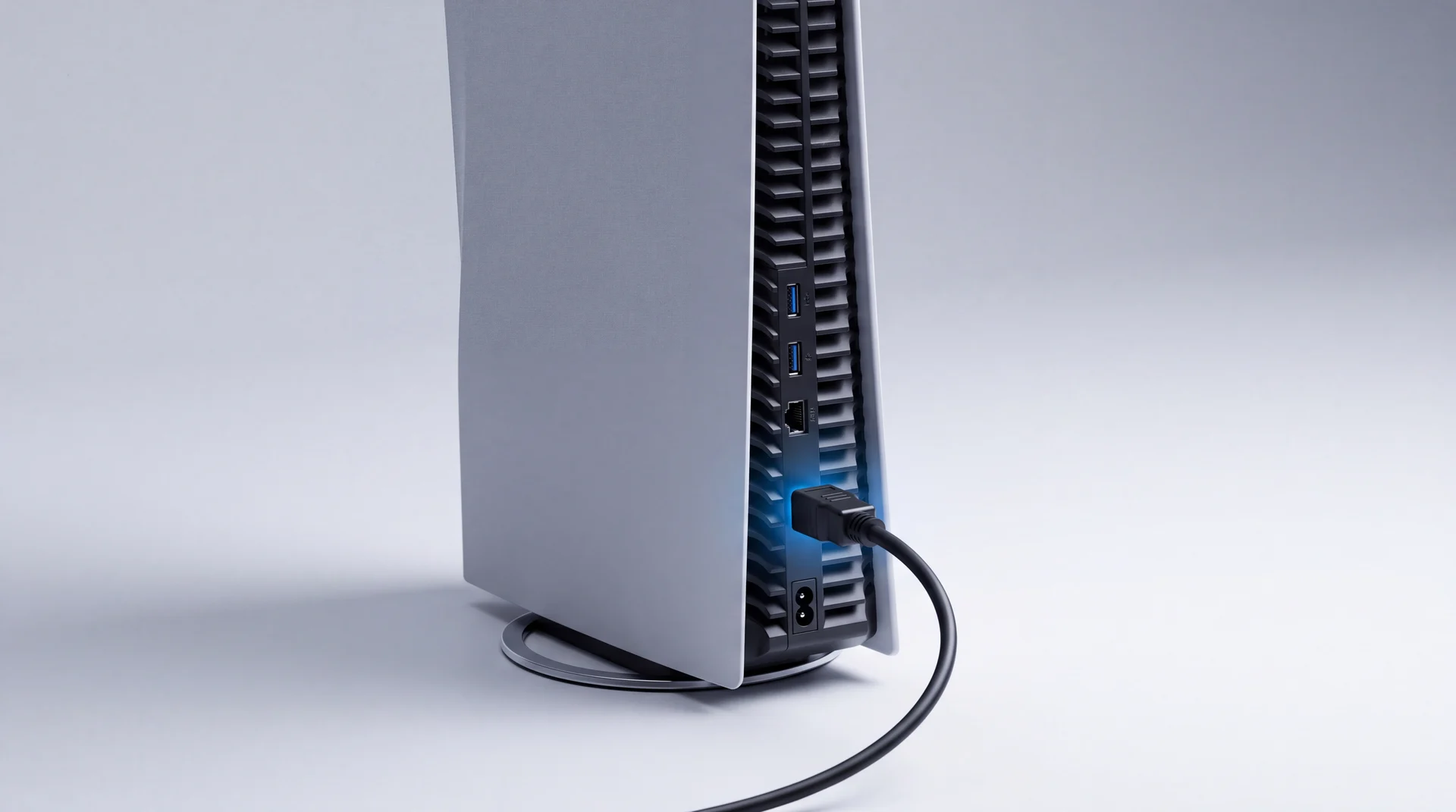
The short answer: a PS5 (PlayStation 5) showing "no signal" or a black screen is a cable or settings problem far more often than it is the console. Work through the free checks first. Only if the port itself is visibly loose or damaged are you looking at a repair, and even then it is a straightforward, worthwhile fix on a console this recent - not a reason to replace it, and a flat £126 if you already know it is the port and just want the number.
If it is the port: a free clean and liquid metal check comes with every repair
Reaching the HDMI port means opening the console right down to the board anyway, so we check the cooling and liquid metal at the same time, at no extra cost. That is normally a job in its own right - our Deep Clean & Liquid Metal Repair at £86 - included free with the HDMI repair. It matters because the PS5's liquid metal degrades over years with no outward sign until the console starts running hot or shutting down; see why a PS5 overheats and how it gets fixed. Catching it now, while the console is already open, can save you a second repair later.
Before you touch the console: rule out the cable and the TV
Most black-screen PS5s are not a hardware fault at all. Run Sony's own troubleshooting steps, in this order, before you assume the worst:
- Reconnect the HDMI cable firmly at both ends.
- Try a different HDMI port on the TV.
- Test the PS5 on a completely different screen, if you have one.
- Confirm the TV is actually set to the right input.
- Still black? Boot into Safe Mode (hold the power button until you hear a second beep, about seven seconds in, with a controller connected by USB cable) and reset the video resolution from there - the fix for a console stuck on a resolution or refresh rate your TV cannot display, which looks identical to a dead port from the outside.
Tried all five and still on a black screen? That is a genuine signal to look at the port itself. One caveat: if the console is shutting down mid-game rather than showing no picture at all, that is more likely overheating, not the HDMI port - see our PS5 overheating guide instead.
How to tell if the port itself is actually broken
With the console unplugged, shine a torch into the HDMI port and look closely at the row of thin metal pins inside. Bent, missing or blackened pins mean physical damage. Then plug a cable in gently: if the connector feels loose, wobbles, or the console only gets a picture when you hold the cable at a particular angle, the port's solder joints have likely cracked away from the board. Neither of those is something a reset or a new cable fixes.
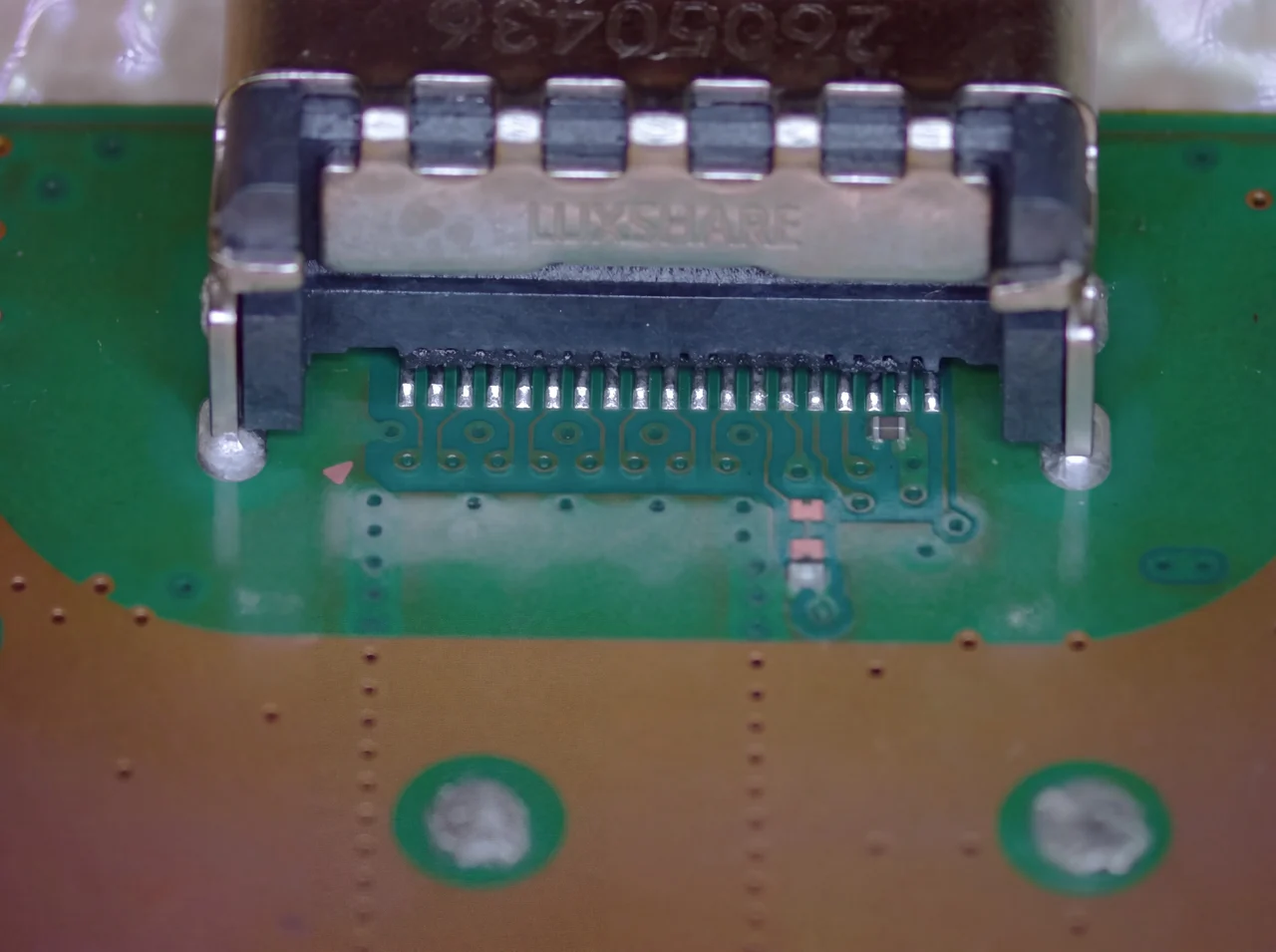
A real HDMI port off a PS5 board on our own bench, not a stock photo - this is what the connector actually looks like once it is out.
Why HDMI ports actually fail
The HDMI port is soldered straight to the PS5's board. It is not built to take weight or sideways force, which is exactly what these three things put through it.
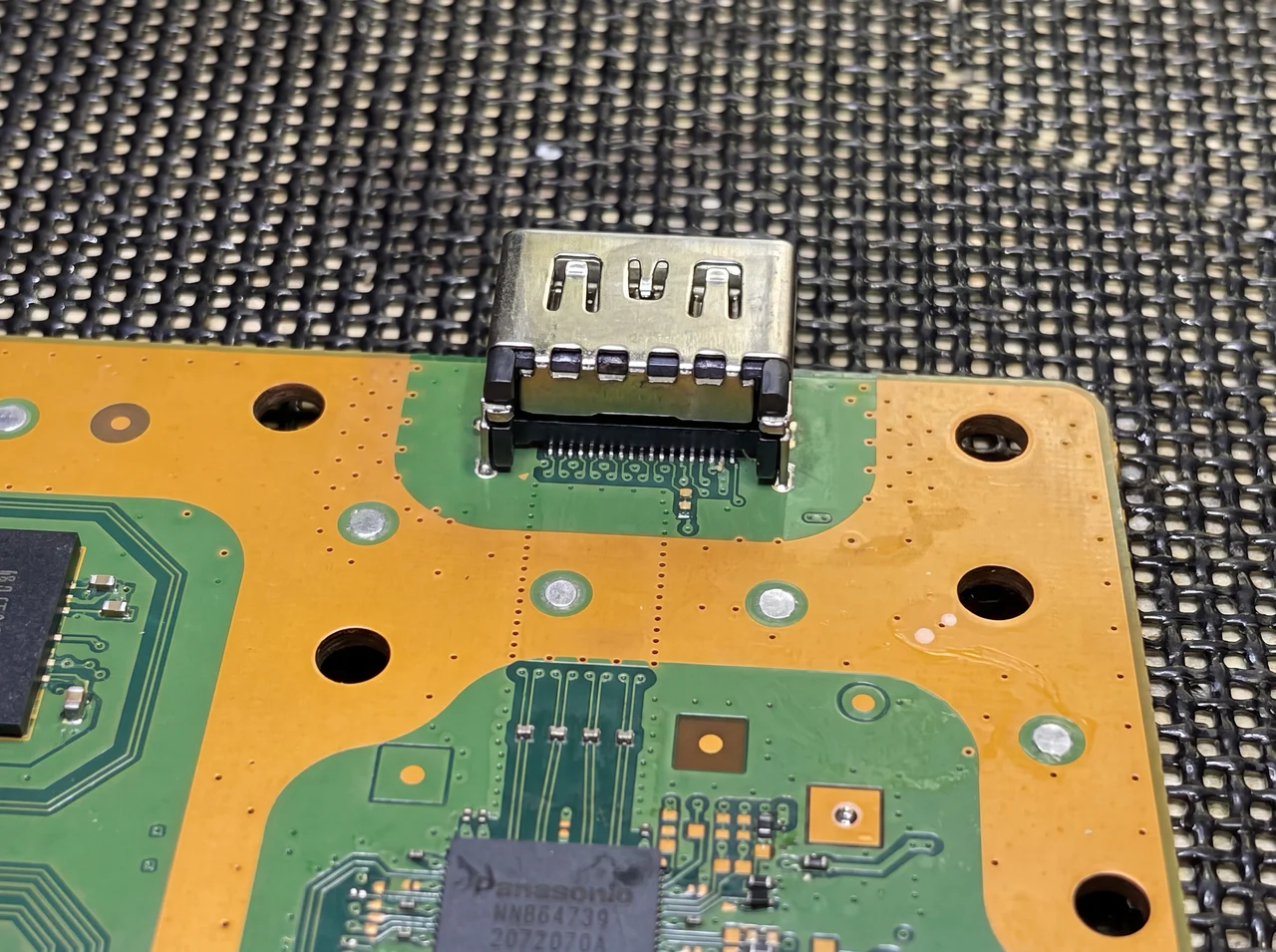
The HDMI port on a real PS5 board, mid-repair - soldered straight in among the console's other components, with no give in it at all.
-
A drop or a knock
Even a small knock to the back of the console, or to the cable while it is plugged in, puts the connector under a shock load it was never designed for. The HDMI port is soldered directly to the board, so the pins or the joints underneath can bend or crack without the case showing a mark.
-
Moving it while it is still plugged in
This is the most common cause we come across. Repositioning the console on a shelf, or pulling it out to dust behind it, with the HDMI cable still connected puts sideways leverage straight through the port's solder joints. Unplug first. It takes five seconds and it is the single easiest failure to avoid.
-
A poor-fit or damaged cable
A loose, worn or cheap cable does not always announce itself as a cable problem. A connector that does not sit square rocks slightly every time it is touched, and that repeated small movement wears the port's contacts and joints over months rather than in one moment.
A thread on r/consolerepair and Asurion's own PS5 HDMI guide both point the same way: try a different cable before you assume the console has failed, and treat a cable that will not sit square in the port as a warning sign rather than something to force. Community reports of HDMI damage match what we see when consoles come in to us - it is very rarely a console that simply gave out on its own. We see the identical pattern on Xbox HDMI ports, for the same reasons.
The bit most repair guides leave out: why you might lose 4K after a fix
There is a small EMI (electromagnetic interference) filter sitting right next to the HDMI connector on the PS5's board. It is easy to knock loose or damage during a port swap if whoever is doing the work is not being deliberately careful around it, and it does not always get put back.
Lose it and the console will often still give you a picture at 1080p, because the simpler signal path does not need it - but 4K specifically drops out or won't lock in, because that filter is there to protect the higher-bandwidth signal 4K needs. If your PS5 plays fine at a lower resolution after a repair somewhere but refuses 4K, that filter is the first thing worth checking, not the TV or the cable.
This is not something we have read on another site. It is what shows up repeatedly on our own bench, and it is exactly the kind of detail that separates a proper microsoldering repair from a rushed one.
Is this actually covered by your rights?
We would rather tell you honestly than have you waste a phone call. A drop, a knock, moving the console while it stayed plugged in, or wear from a poor-fit cable is accidental or wear damage. Under the Consumer Rights Act 2015 that sits outside a claim against the retailer, because the fault was not there when you bought it - it happened afterwards, from an external cause.
The genuine exception is a console that fails this way very early, with nothing you can point to that might have caused it. In England and Wales, within the first six months the burden is on the retailer to show the fault was not already present, under section 19(14) of the Act. Past that six-month mark, or once there is an obvious external cause, it is a repair job rather than a rights claim - and that is a perfectly good outcome, since it is a genuinely fixable fault on a console this recent.
What happens if you send it to Sony instead?
Out of warranty, Sony does not repair your PS5. Sony's own support page describes an exchange service: you send your faulty console in, and a different, fully refurbished PS5 comes back in its place. The fee is inclusive of VAT and shipping, but the actual amount is not published on that page - you have to request a quote. For context only, UK owners were reporting figures around £240 for a PS5 exchange back in 2022 and 2023. We could not find a reliable current figure anywhere, Sony included, so treat that as old colour rather than a quote you can plan around - request your own before deciding.
Read the data warning before you post anything. Sony's own PS5 warranty terms are explicit that servicing "may... cause a loss of data or content", tell you to back up your console storage regularly, and ask you to remove anything private, proprietary or confidential before you send it in - with no liability on Sony's part if you do not. Because it is a swap rather than a repair, none of your original console's storage comes back with the replacement. If your saves are not already in PS Plus cloud storage, treat them as gone.
For an intermittent fault nobody can pin down, a known-good replacement has real appeal, and that is a fair reason to choose it. But for a physically damaged HDMI port specifically, it is worth knowing what you are trading: your actual console, with its own storage untouched, for a different machine and a data wipe.
If it is the port, what happens next?
We start with a free diagnostic, so you know exactly what is wrong before anything is agreed. If it is a damaged HDMI connector, that is our HDMI Port Repair, a flat £126 - a board-level microsoldering job, done properly, with the surrounding components (including that EMI filter) checked and left intact rather than treated as an afterthought. Unlike Sony's exchange, we are not touching the drive at all, so it is your actual console that comes back, with your games, saves and settings exactly as you left them.
No fix, no fee, and 12 months of warranty on the work. If the diagnostic turns up something else entirely - overheating that needs a deep clean and fresh liquid metal, for example, at £86, you hear the real number before we touch anything, in writing.
As mentioned above, that price also covers a free clean and liquid metal check while the board is already open - see why that matters for keeping a repaired PS5 running smoothly, near the top of this guide.
PS5 HDMI port: your questions answered
How much does a PS5 HDMI port repair cost?
A PS5 HDMI port repair here is a flat £126, and that is the whole price rather than a figure to start from. It is a board-level microsoldering job, and it includes a clean and liquid metal check while the console is already open at no extra cost, normally a job in its own right at £86. Every console starts with a free diagnostic, so if the black screen turns out to be the cable, the TV or a resolution setting rather than the port, you have not paid for a repair you did not need. No fix, no fee, and 12 months of warranty on the work. For comparison, Sony does not repair an out-of-warranty PS5 at all: they exchange it for a different refurbished console, and they do not publish that fee.
Why has my PS5 HDMI port suddenly stopped working?
Usually one of two things. Either the cable, the TV input or the console's video settings have got confused, which is fixable in minutes and free - or the port itself has taken physical damage, most often from a drop, a knock, the console being moved while the cable stayed plugged in, or a poor-fit cable wearing the connector over time. The quick checks below tell you which one you are dealing with before you spend anything.
How do I know if my PS5 HDMI port is physically damaged, not just a cable or settings issue?
Work through the free checks first: a different cable, a different HDMI port on the TV, a different TV, and a Safe Mode resolution reset. If none of those bring a picture back, look inside the port itself with a torch. A row of bent, missing or discoloured metal pins, or a connector that feels loose or wobbles when a cable is plugged in, means the port has physical damage and needs replacing rather than resetting.
Can a bad HDMI cable actually damage the port, or just the picture?
Both, over time. A cheap or worn cable that gives an intermittent picture is usually just a cable fault, and swapping it fixes it outright. But a cable that does not sit square in the port keeps rocking slightly every time it is touched, and that repeated small movement is exactly the kind of mechanical stress that eventually cracks a solder joint. A cable that will not seat properly is worth replacing on its own merits, before it takes the port with it.
Why does my PS5 have a picture but no 4K after an HDMI repair?
This is a real and specific failure we see, and it is one most repair guides never mention. Right next to the PS5's HDMI connector on the board sits a small EMI (electromagnetic interference) filter, and it is easy to knock off or damage during a port swap if the technician is not deliberately careful around it. Lower resolutions can still work with it missing, because the console falls back to a simpler signal path, but 4K needs the higher-bandwidth HDMI 2.1 signal that filter is there to protect, so 4K output specifically drops out or won't lock in. If your console plays fine at 1080p after a repair but won't do 4K, ask whoever did the work to check that filter before assuming anything else is wrong.
Is HDMI port damage on my PS5 covered by my consumer rights or Sony's warranty?
Honestly, usually not, and we would rather tell you that upfront than sell you a claim that will not hold up. A drop, a knock, moving the console while it is plugged in, or wear from a bad cable is accidental or wear damage, not a manufacturing fault, so it sits outside a normal claim under the Consumer Rights Act 2015. The exception is a console that fails this way very early, with no physical stress you can point to at all - that is worth raising with the retailer within the first six months, when the burden is on them to show the fault was not already there.
Is it worth repairing the HDMI port, or should I just replace the PS5?
For almost every console still under a few years old, repairing the port is the cheaper and faster route next to buying a new PS5, and it is the only option that keeps your actual console, with your games, saves and settings intact, rather than starting again on a replacement. It stops being worth it if the console is already old enough, or has enough other problems, that you would be paying to fix one thing on a machine you were going to replace anyway - and a proper diagnostic will tell you honestly which situation you are in before you commit to anything.
Does an HDMI port repair check anything else while the console is open?
Yes. Every HDMI port repair here includes a clean and liquid metal check at no extra cost, because reaching the port already means opening the console down to the board, the same access a full deep clean and liquid metal repair needs on its own. The PS5 uses liquid metal rather than paste to carry heat off its processor, and that layer can degrade and spread unevenly over the years with no outward warning until the console starts running hot or shutting down under load. Catching it while the console is already open costs nothing extra and can save you a second repair, and a second wait, further down the line.
The bottom line
Try a different cable, a different port, a different TV, and a Safe Mode resolution reset before you pay anyone. That fixes most black-screen PS5s outright, for nothing.
If the port itself is loose or visibly damaged, that is a straightforward, worthwhile repair on a console this recent - just make sure whoever does it knows to check the EMI filter next to the port, or you may keep a picture and lose 4K without ever knowing why.