

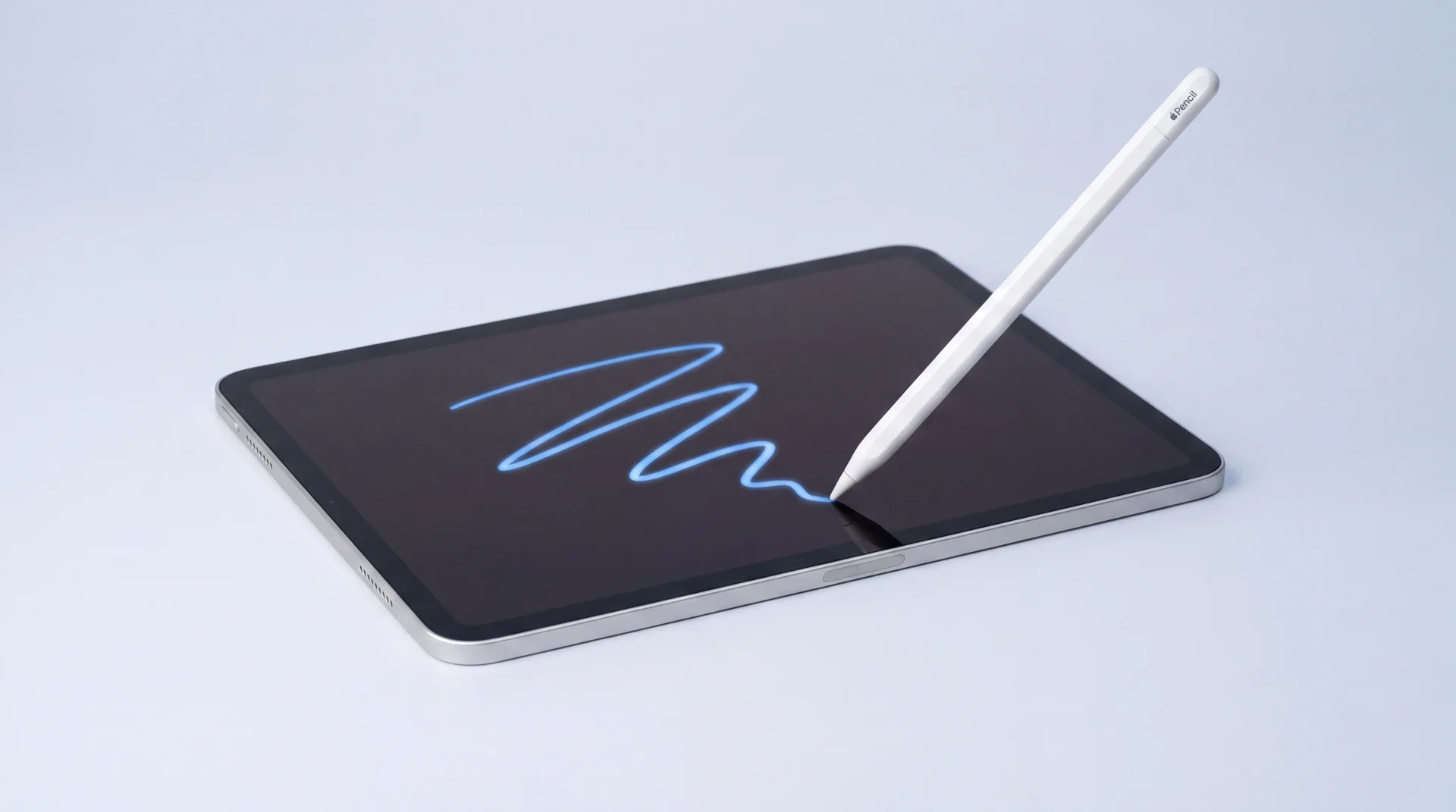
The short answer: iPad Pro, Air and mini models pair the screen's touch and Apple Pencil data to that exact screen's serial number. Swap the screen without carrying that pairing across and straight strokes come out wavy, jittery or offset, even though the Pencil itself is completely fine.
This happens with a genuine, pulled screen from a real iPad just as much as with any other replacement, so it is not a sign the part fitted was sub-par: it is a software and serial-pairing problem, not a parts-quality one. Keeping or refurbishing your original display avoids the problem entirely. If the original genuinely can't be saved, a specialist tool can transfer the pairing to the new screen on many (not all) generations, with a high but honestly not guaranteed success rate. Ask whichever repairer you use which of those two they're doing before they touch your iPad. And if you don't use an Apple Pencil with your iPad at all, none of this affects you: as of today, touch, multitouch and everything else about a replaced screen works exactly as it should.
Why does a screen swap break the Apple Pencil?
Newer iPad Pro, Air and mini models serialise their display, meaning the screen's touch controller and the Pencil calibration data it uses are tied to that individual screen, not just to the iPad as a whole. This is worth being precise about: a genuine screen pulled from another real iPad hits exactly the same wall as any other replacement, because the glass and digitizer being physically correct isn't enough on its own, the pairing data has to come across with it too. Where the screen came from is irrelevant. Whether the pairing step happened is the only thing that matters.
Apple says as much itself. Its own support page on genuine iPad displays lists what can happen when a non-genuine or improperly fitted display goes in, and Apple Pencil performance and accuracy degrading is one of the specific effects it names, alongside Multi-Touch responsiveness and True Tone colour issues.
If you aren't certain the trouble began with the screen swap, rule the simple things out first: restart the iPad, check the Pencil still charges and shows as connected under Settings, and try it on another iPad, or another Pencil on yours, if you can borrow either. A useful tell: with this fault, horizontal and vertical strokes usually stay reasonably straight while diagonals wobble. If the wavy lines survive all of that, and they started right after a screen was fitted, that timing is the strongest signal you have that it's the pairing rather than the Pencil.
Independent reports back this up in detail. Technicians and users on iFixit's answer forum describe the same "diagonal jitter" on a replaced screen that a genuine, unreplaced one doesn't have, and the same thread pattern repeats on the iPad Pro 11-inch 3rd generation, and it shows up as exactly the symptom people search for: lines that wobble or zigzag instead of running straight, worst on fast diagonal strokes.
Which iPad models actually pair the screen like this?
This is a Face ID-generation iPad Pro problem, not something that affects every iPad.
- Affected: screen pairing exists
- iPad Pro 11-inch and iPad Pro 12.9-inch, every Face ID generation from 2018 onward: the 2018, 2020, 2021 and 2022 models, and the M4 and M5 models from 2024 and 2025. iPad Air from the 4th generation (2020) onward, the first Air with the same flat-edge, no-Home-button design, including the 5th generation (2022). iPad mini 6th generation (2021). Years are Apple's own, from its identify-your-iPad-model list.
- Not affected: no screen pairing
- Any iPad with a Home button, and the standard entry-level iPad line. A screen swap on one of these doesn't cause wavy Apple Pencil lines by this mechanism. If your iPad is in this group and the Pencil still misbehaves, it's a different problem: start with Apple's own guide to pairing an Apple Pencil.
Tool coverage moves generation by generation, and the newest tandem-OLED iPad Pro models are usually the last ones covered. Ask your repairer to confirm your exact generation before you book, not after. A different fault entirely, like an iPad that refuses to turn on or charge, is a separate issue with its own free checks.
This is Apple's design choice, and its own repair route isn't risk-free either
Pairing the screen to one specific iPad isn't an accident of manufacturing or something a cheap replacement part introduced. Apple built it that way on purpose, as part of the same parts-pairing approach it uses across iPhone and iPad, and its own support documentation admits Apple Pencil accuracy is one of the things that can break when a display isn't recognised as genuine. That design choice is what turns an ordinary cracked screen into a trap for anyone who doesn't know to ask about it first, whoever ends up fixing it.
Since May 2025, Apple's own Self Service Repair Store has sold genuine Apple displays directly to the public for iPad Pro (M4 and M5), iPad Air (M2, M3 and M4), iPad mini (A17 Pro) and iPad (A16), no repair shop involved anywhere in the chain.
Genuine parts for the same models are also available through Apple-authorised parts suppliers. On mendmyi's own checked pricing (2026-08-20), a genuine iPad Pro 13-inch (M5) display costs £642.28 from one such supplier, for the part alone. That sits in the same broad range as the $749 Apple itself charges for the equivalent part through its own US Self Service Repair Store, reported by 9to5Mac in August 2025.
And that official part, however it's bought, still needs a separate software step called Repair Assistant, which Apple's own instructions say "installs calibration data to finish the repair." Apple is just as blunt about what happens if you skip it: "the part might not perform as well as a calibrated part." That's a genuine Apple screen, in Apple's own words, describing the exact same pairing problem this entire post is about. It was never about where the glass came from.
Going to Apple directly doesn't sidestep the risk, either. For a lot of these iPad Pro, Air and mini models, Apple's standard route for a damaged screen isn't an in-place repair at all, it's a whole-unit exchange: you hand over your iPad and get back a different, refurbished device, not your own one fixed. That's what independent repair-cost trackers consistently report, rather than anything Apple spells out in those words: Apple's own support pages describe the service generically, as repair or replacement. Apple's own guidance for collecting a device after any Apple Store or Authorised Service Provider visit is blunt about what that can mean: "your device may have been erased," restore it from a backup or set it up as new.
Unlike a phone too dead to switch on, a cracked-but-working iPad will usually still let you back up first, so this is avoidable if you know to do it before you hand the iPad over. Whichever repairer you choose, ask what happens to your data and your original screen before you say yes, not after.
Our honest view: this is a genuinely disappointing position to put owners in. Someone who wants their iPad repaired, not replaced, ending up stuck with jittery lines through absolutely no fault of theirs or their screen's, purely because a software step got skipped, is not a fair trade for keeping a perfectly good device out of landfill.
What can actually be done about it?
There are two honest routes, and a repairer should tell you upfront which one applies to your iPad.
Keep the original screen. If your original display can be carefully removed, tested and refitted rather than replaced outright, the pairing never changes because nothing about the screen has, so there's nothing to break. This is the safest route by a distance, and it's why a repairer's first question should be about the condition of your existing screen, not just which new one to order.
Transfer the pairing to a new screen. When the original is genuinely too damaged to reuse, technicians use a specialist read-and-write programmer with an iPad screen adapter to copy the old screen's serial data onto the new screen's controller before it's fitted, restoring the calibration the Pencil needs. It's a real, purpose-built tool, not a workaround. One repair technician's own demonstration video shows exactly this process on an iPad Pro 12.9-inch: transferring the display's serial data from the original screen before the replacement goes in.
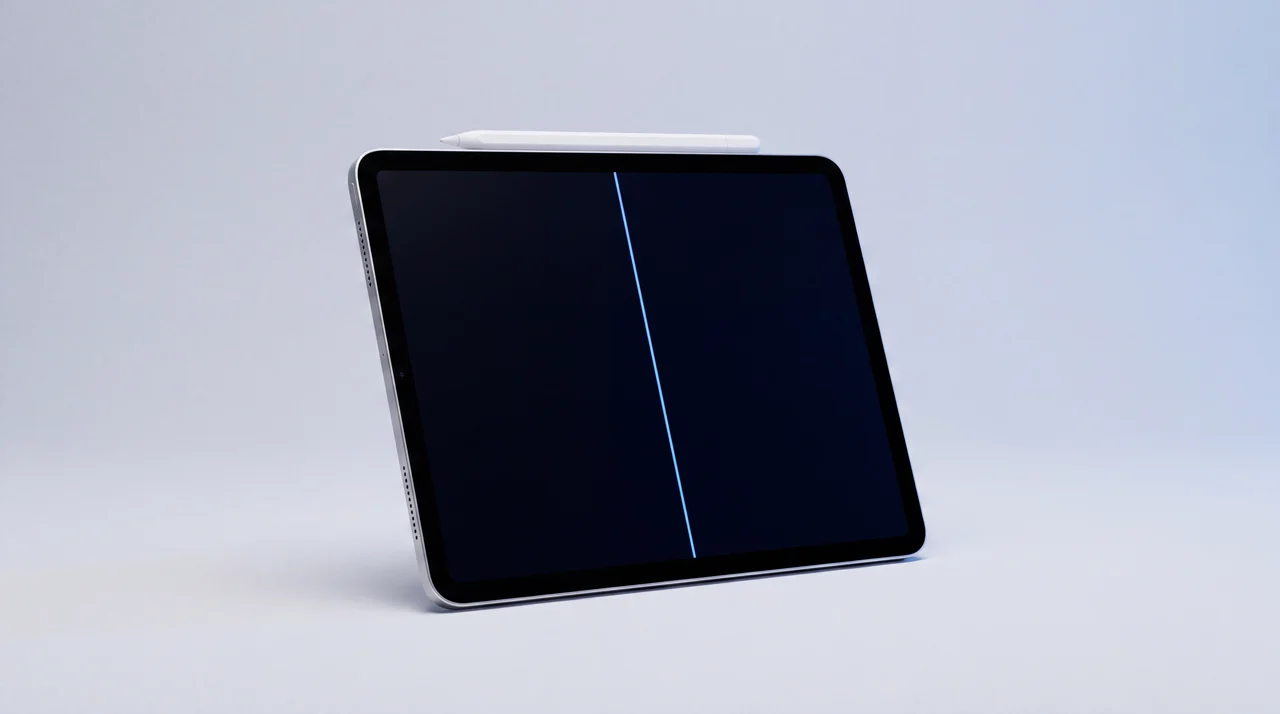
Coverage varies by generation and updates over time, so it's honest to say "many, not all": recent iPad Pro 11-inch and 12.9-inch models, several iPad Air generations and iPad mini 6 are commonly supported, while the newest tandem-OLED iPad Pro models are the ones industry tools tend to catch up on last. Ask your repairer to confirm your specific model before assuming either way.
Already had your screen replaced and it's still jittery? Read this before you book anything else.
Be straight with yourself about where you are. If your screen has already been swapped, by anyone, and the original screen is gone, the transfer trick above can't be applied retroactively. It needs the original screen physically present to read its serial data from before it's fitted. Once that screen has been thrown away, there is nothing left to copy from.
Can you check what was actually fitted? Sometimes, but far less often than you would hope. On an iPad Pro with an M4 or M5 chip, open Settings, tap General, then About: if the iPad has been repaired you'll see a Parts and Service History entry, and the display will be marked Genuine, Used or Unknown. Worth knowing before you get your hopes up: those are the only iPads where Apple reports the display this way. On the Face ID iPad Pros from 2018 to 2022, and on the Air and mini, Apple lists Touch ID or nothing at all, so a device that shows no display history has told you nothing either way. It is not evidence the screen was genuine.
The only genuine fix at that point is another full screen replacement, this time using a brand new genuine Apple part that comes with its own correct pairing set through Apple's Repair Assistant, both covered above. That is not a cheap job: the same genuine iPad Pro 13-inch (M5) display we quoted above costs £642.28 from an Apple-authorised parts supplier for the part alone, before fitting, with similar prices across the current Pro, Air and mini range. For a lot of people that lands close to, or above, what a fully working refurbished iPad costs outright.
Our honest view: that's a poor position to be left in. Losing straight Pencil lines was never your fault, and needing to spend near-new-device money just to get it back is a genuinely bad outcome for something that started as a cracked screen.
Which is why, if this is already your situation, it's worth weighing the real alternatives before booking a second repair:
Keep using it
Only Apple Pencil accuracy is affected. Touch, multitouch and everything else still works properly, so living with it costs nothing.
Sell it
We buy iPads in real condition, not just perfect ones. Tell us the model and condition for a clear quote.
Get a price for your iPadTrade it in
Put its value towards a refurbished iPad with full working Pencil support. We move your data across for you.
Browse refurbished iPadsFrom the workbench: what we actually tell people
If your iPad Pro comes to us with its original display still fitted and it hasn't been opened by anyone else before, we can transfer that pairing to a new screen with a high success rate. It isn't 100%. We tell every customer that before we start, not after, because it's their decision to make with the full picture, not ours to make quietly on their behalf.
That's also why, wherever the original screen can be saved instead of replaced, that's our default. It sidesteps the whole question, because a genuine, undisturbed pairing was never at risk in the first place. Only when a screen is too badly damaged to reuse does the transfer come into play at all.
What a screen repair actually costs, by model
Real prices, confirmed before anything chargeable happens, not a vague estimate after the fact. The same pairing question applies whichever of these you're getting fixed.
iPad Pro 11" 4th Gen
Updated automatically from our live price list
iPad Pro 12.9" 6th Gen
Updated automatically from our live price list
iPad Air 5th Gen
Updated automatically from our live price list
iPad Mini 6th Gen
Updated automatically from our live price list
Every generation and every model, from the original 11-inch to the latest 13-inch, priced individually with a 12 months warranty.
See iPad Pro repair pricesThe bottom line
Wavy or jittery Apple Pencil lines right after a screen repair point to a broken screen pairing, not a broken Pencil. The fully reliable fix is keeping your original display wherever it can be saved. Where it genuinely can't, ask whichever repairer you use whether they transfer the original pairing data to the new screen, and what their real success rate is, before they start. A straight answer to that question, before any work happens, is the difference between a repairer who understands this fault and one who's about to hand you a straight new screen and a wavy Pencil.
Apple Pencil after a screen repair: your questions answered
Why is my Apple Pencil suddenly drawing wavy or inaccurate lines after a screen repair?
It's almost never the Pencil itself. iPad Pro, Air and mini models tie the screen's touch and Apple Pencil data to a serial number unique to that exact screen. Fit a replacement screen without transferring that data across and the pairing breaks, so straight strokes come out wavy, jittery or offset even though the Pencil connects and charges normally. Apple's own support pages confirm non-genuine or improperly fitted displays can degrade Apple Pencil performance and accuracy.
Can a screen replacement really cause this, or is my Apple Pencil just faulty?
Yes, a screen replacement genuinely can, and it's a well documented issue, not a rumour. Independent repair technicians, iFixit's own answer threads and Apple's official support documentation all describe the same mechanism: replacing the screen without carrying over its original serial pairing breaks the fine touch calibration the Pencil relies on for straight lines, tilt and hover. If the fault only started right after a screen swap, that timing is the strongest clue it's the pairing, not the Pencil.
Is there an actual fix for wavy Apple Pencil lines after a screen swap?
Two honest options. The first is to keep or refurbish your original display wherever it can be reused, which always preserves the pairing because nothing has changed. The second, for a genuinely broken original screen, is a specialist read-and-write tool that copies the old screen's serial data onto the new one before it goes in. On the models it supports, this has a high success rate. It is not guaranteed on every device, and any repairer doing it honestly should tell you that before starting, not after.
Does keeping my original iPad screen avoid the problem entirely?
Yes. If the original display can be carefully removed, tested and refitted rather than swapped for a new part, the screen-to-Pencil pairing never changes, so there is nothing to break. This only works when the original screen genuinely survives the job intact, and it's why a repairer's first question about a cracked iPad Pro, Air or mini should be about the condition of your existing screen, not just which replacement to order. A shattered or badly damaged original has to be replaced outright, which is when the pairing issue becomes a real risk and a specialist transfer tool is the only remaining option.
Does a screen protector or a non-genuine screen affect Apple Pencil accuracy too?
A screen protector on its own, fitted correctly, makes only a small difference to Pencil feel and is not the cause of wavy or jagged lines. A non-genuine or improperly paired screen is a different matter. Apple's own support documentation lists degraded Apple Pencil performance and accuracy as one of the specific things that can happen with a non-genuine display, alongside Multi-Touch responsiveness and True Tone colour issues, so it's worth asking any repairer directly whether the part they're fitting is genuine and whether the screen pairing is being carried across.
Will Apple fix this under warranty if I had my screen replaced elsewhere?
Apple's own support page on genuine iPad displays is blunt about this: even repairs by Independent Repair Providers, shops inside Apple's own programme, "are not covered by Apple's warranty or AppleCare plans, but may be covered by the provider's own repair warranty." A repair outside that programme is no better placed, so a screen fitted anywhere other than Apple or an authorised provider is not something Apple's warranty or AppleCare will pick up. It may still be covered by whichever repairer fitted the screen, under their own workmanship warranty, so that is the first place to go back to. A free diagnostic from a different repairer can also confirm, before you pay for anything, whether it's genuinely the screen pairing at fault rather than a separate Pencil issue.
I don't use an Apple Pencil. Do I need to worry about any of this?
No. This entire fault is specifically about the Apple Pencil's calibration data, not the screen generally. If you never pair a Pencil with your iPad, a replacement screen with a broken pairing behaves completely normally: touch, multitouch, scrolling and everything else works exactly as it should. As of today, the only thing this fault touches is Apple Pencil accuracy.
I already had my screen replaced elsewhere and my Pencil is still jittery. Can this be fixed now?
Only if the original screen was kept. The pairing-transfer tool has to read the correct serial data from your original screen at the time it's copied across, so once that screen has been thrown away, there's nothing left to copy from and the transfer can't be done retroactively on a screen that's already fitted. The only remaining fix is another full screen replacement using a brand new genuine Apple part, which isn't cheap: a genuine iPad Pro 13-inch (M5) display costs £642.28 from an Apple-authorised parts supplier for the part alone, before fitting, with similar prices across the current range. For a lot of iPads that lands close to, or above, the cost of a refurbished replacement, so it's worth weighing a repair against selling the iPad or trading it in before committing to a second screen swap.
Get a straight answer before you spend anything
About to get a screen replaced? We'll tell you honestly what applies to your iPad. Already dealing with this? We'll give you the real numbers, whether that's a second repair, selling it or trading it in.