


The short answer: act fast, and do it in order. Find it on the map, put it in Lost Mode so it locks and shows a contact message, report it to the police and your network so the IMEI is blocked, and only wipe it remotely once you have accepted it is not coming back. Do not erase first, because that makes the phone much harder to trace.
The four moves, in the right order
That sinking feeling when your pocket is empty is horrible, but the next ten minutes matter. Work through these four steps in order. The order is the point: locate and lock before you ever think about erasing.
Find it
Open Find My (iPhone) or Find Hub (Android) on any device or in a browser and see where it is on the map. If it is offline you get its last known spot, so check back often.
Lock it down
Turn on Lost Mode. It locks the phone, suspends Apple Pay or Google Wallet, and lets you put a message and a number on the lock screen so an honest finder can call you.
Report it
Tell the police for a crime reference number, then give your network the IMEI so it is blocked on every UK network, even with a new SIM.
Erase, only as a last resort
When there is genuinely no hope of getting it back, wipe it remotely. Do this last, because a wiped phone is much harder to track.
Step 1: Find it on the map
Both Apple and Google build tracking into every phone, and you can reach it from any device or a web browser, so you do not need the missing phone to start looking.
On an iPhone
Open the Find My app on another Apple device, or sign in at icloud.com/find in any browser, with your Apple Account. Your phone shows on the map.
On an Android
Go to google.com/android/find or use the Find Hub app, formerly Find My Device, and sign in with your Google account to see it on the map.
Three things are worth understanding, because they change what you do next.
-
It is a snapshot, not a history
The map shows where the phone is right now, or where it was last seen, not a trail of everywhere it has been. If it is switched off or out of signal you see the last known location, which Apple keeps for up to seven days. So keep checking back, do not just look once.
-
No location now does not mean gone
A blank or greyed-out phone is usually just offline. The instant it comes back online, whether someone puts a new SIM or eSIM in it, or it simply connects to a Wi-Fi network, its position updates. Switch on Notify When Found and you get an alert the moment it reappears, even while you sleep.
-
It can be found even offline
Both Apple and Google run a huge, private network: nearby phones detect your lost device over Bluetooth and report its rough location back to you, anonymously and encrypted. So a phone with no SIM and no Wi-Fi can still show up if it passes near other phones.
If the map shows it somewhere you have just been, use Play Sound to make it chime, even on silent, or tap Directions to navigate to it. But if it looks like it is at a stranger's address, do not go knocking. Location can be approximate, and no phone is worth your safety. That is a job for the police, with your crime reference number.
Step 2: Lock it down
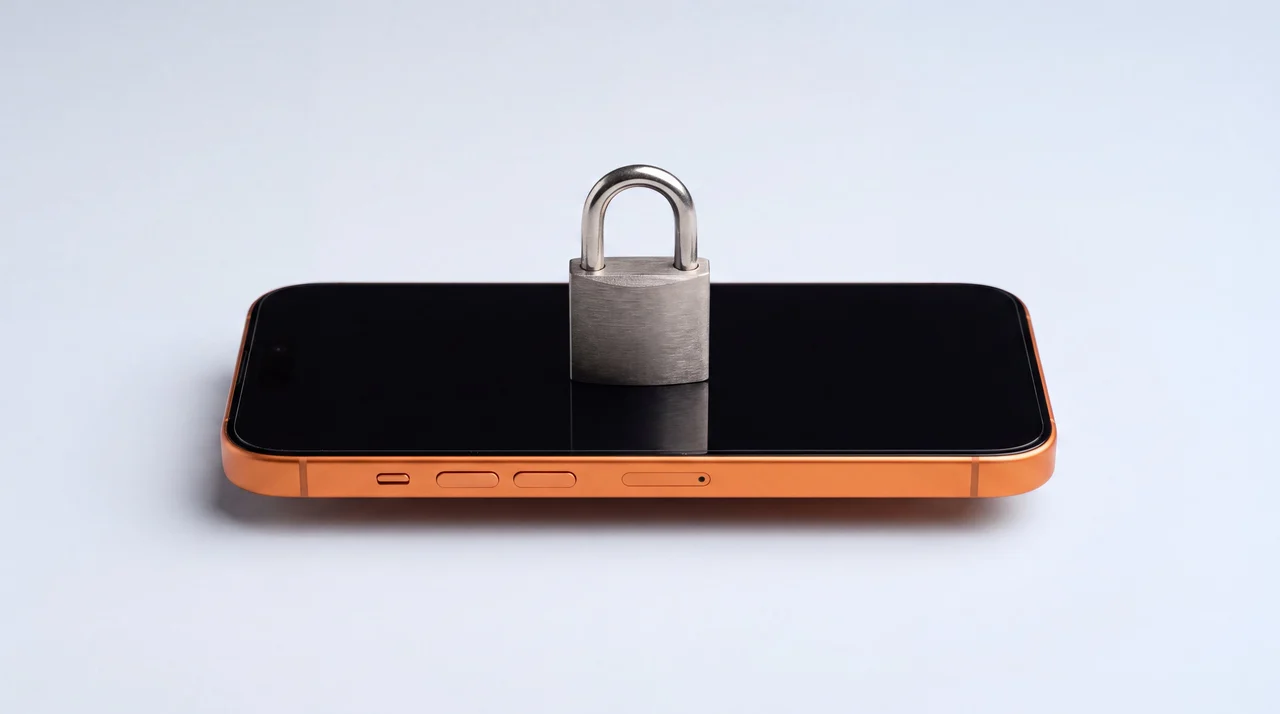
This is the step that protects your money and your data, and you should do it even while you are still hoping to get the phone back. On an iPhone it is called Mark As Lost, which puts the phone in Lost Mode. On Android it is Secure device. They do the same core things:
- Locks the phone with your passcode, so no one can get past the lock screen.
- Suspends Apple Pay and Google Wallet, so your cards cannot be used to pay.
- Keeps it traceable, so it stays on the map while you decide what to do.
Add a message and a number to the lock screen
When you turn on Lost Mode you are asked for a phone number and a short message, and both appear on the locked screen. This is how a genuinely honest finder gets the phone back to you. Keep it simple and safe: a line like "This phone is lost. Please call 07xxx xxxxxx, reward offered" and a number that is not the missing phone. Do not put your home address. The message shows as long as the phone is online, and you can update it any time from Find My.
Resist the urge to hit erase at this point. A locked phone is already useless to a thief and safe from prying eyes, and keeping it unerased means you can still see it on the map and get that Notify When Found alert. Erasing comes later, and only if you have to.
Step 3: Report it and block the IMEI
Two phone calls turn a stolen phone from a valuable prize into a locked, blocked brick, and give you what you need for an insurance claim.
Tell the police
If your phone was stolen, report it to the police online or by calling 101, and ask for a crime reference number. Your insurer will need it. If a crime is in progress or you feel in danger, call 999 instead. You can also register the phone on Immobilise, the national property register, which helps the police return it if it turns up.
Tell your network to block the IMEI
Call your mobile network, report the phone lost or stolen, and give them the IMEI, the phone's unique 15-digit fingerprint. They will add it to a national blocklist, which stops the handset working on any UK network, even with a brand-new SIM. They can also stop your SIM so no one runs up a bill. Immobilise registers the phone but does not block it, so this call to your network is the one that kills it.
How to find your IMEI
Dial a code
Type *#06# into any phone that is still working, and its own IMEI appears. Sadly no use once the phone is gone, so it is worth noting yours down now.
Check the box
The original box has the IMEI printed on the label, usually next to the barcode. Keep the box and you keep the number.
Your account
For an iPhone, sign in at appleid.apple.com and the IMEI is listed under your devices. For Android, it shows in your Google account device list.
Step 4: Erase, only as a last resort
Wiping your phone remotely deletes everything on it, which is reassuring when your data is sensitive. But it is the last move for a reason: once erased, the phone is much harder to trace, so you are effectively giving up the hunt. Only do it when you have genuinely accepted it is not coming back. Note that erasing is not the same as removing the phone from your account, and it deliberately leaves Activation Lock switched on: the difference between Erase and Remove is worth understanding before you touch either.
A wiped iPhone is still locked to you. On iOS 15 or later you can even keep tracking it on the map after erasing, and Activation Lock stays switched on, so a thief still cannot set it up and use it. The one thing to avoid is removing the device from your account, because that turns Activation Lock off and hands them a clean, usable phone. Android has the same protection, called Factory Reset Protection.
If your phone is later recovered after you wiped it, do not worry. As long as you know your Apple Account or Google password, you can sign back in, and if you kept a backup you can restore everything as though nothing happened. If the phone comes back having been in someone else's hands for a while, treat it the way you would after a scam and give it a full erase before you trust it: our guide to what to do if your phone is hacked covers the order.
Five minutes now saves you a bad day later
Everything above works far better if a few settings are already on before your phone goes missing. If you do nothing else today, do these.
Turn on Stolen Device Protection (iPhone)
On iOS 17.3 or later, Settings, Face ID and Passcode, Stolen Device Protection. Away from familiar places it adds a security delay and demands Face ID or Touch ID for sensitive changes, so a thief who watched you type your passcode still cannot lock you out of your account.
Source: Apple SupportSet up Medical ID and Emergency SOS
In the Health app, tap your profile, then Medical ID, and turn on Show When Locked and Share During Emergency Call. It lets a responder, or an honest finder, see your emergency contacts from the lock screen without unlocking the phone.
Source: Apple SupportSwitch on Send Last Location
Settings, your name, Find My, Send Last Location. When the battery is about to die, the phone sends its final position to Apple automatically, so a dead battery does not mean a blank map. Find Hub does the same on modern Android phones.
Source: Apple SupportKnow your password and keep a backup
You will need your Apple Account or Google password to use any of this, so make sure you know it. And an up-to-date iCloud or Google backup means that if the phone never comes home, nothing on it is truly lost.
If it never comes home
Sometimes a phone is simply gone, and once the fuss is over you just need a working phone again without paying full price for new. Professionally refurbished phones in our shop start from around £367.
Every one comes with a 12-month warranty and free UK delivery, and if you had a backup we will move your data across and set the new phone up so it feels like your old one.
We will check it over
Got it back but it took a knock on its travels, or the screen is cracked? Bring it in for a free diagnostic and an honest, written quote before any chargeable work.
See repair pricesReplace it without overpaying
A professionally refurbished phone costs far less than new, comes with a 12-month warranty and free UK delivery, and we can restore your data from your last backup and set it up for you.
Browse refurbished phonesNever buy a blocked phone
This is exactly why we check every phone we sell against the national loss and theft register before it goes out, so you are never stuck with someone else's stolen handset. Here is how to check any used phone yourself.
How to check a used phoneThe bottom line
Losing a phone feels like a disaster in the moment, but a locked, reported phone is worth almost nothing to a thief and gives up none of your data. So keep calm and work in order: find it, lock it down with a contact message, report it to the police and your network to block the IMEI, and hold erasing back as the very last resort. Set up Stolen Device Protection, Medical ID and a backup while everything is fine, and future you will be grateful. And if the phone really has gone for good, we will help you replace it sensibly and move your life across to the new one.
Lost or stolen phone: your questions answered
My phone shows no location on Find My. Is it gone?
Not necessarily. Find My shows a live location only when the phone is online. If it is switched off, out of signal or the battery is flat, you see its last known location instead, which Apple keeps for up to seven days. The map is a snapshot, not a history, so check back regularly. The moment the phone comes online again, whether that is a new SIM or eSIM, or it connects to any Wi-Fi network, its position updates. Turn on Notify When Found and you will get an alert the instant it reappears.
Should I erase my phone straight away?
No, make erasing the last thing you do. Once you wipe a phone it is far harder to track, so try to locate and lock it first. The good news is that on iOS 15 or later you can still see the device on the map even after you erase it, and Activation Lock stays on so a thief cannot set it up and use it. Just do not remove the device from your account, because that switches Activation Lock off. Only erase when you have accepted the phone is not coming back and you want your data gone.
What is the difference between Lost Mode and blocking the IMEI?
They do different jobs, so do both. Lost Mode, which you turn on yourself in Find My, locks the phone, suspends your cards and shows a contact message on the screen. Blocking the IMEI is done by your mobile network when you report the phone stolen: it adds the handset to a national blocklist so it cannot be used on any UK network, even with a completely different SIM. Lost Mode protects your data and accounts; an IMEI block makes the phone useless to a thief.
How do I find my IMEI number if the phone is already gone?
You do not need the phone in your hand. The IMEI is printed on the original box next to the barcode, and it is listed in your account: sign in at appleid.apple.com for an iPhone, or check your device list in your Google account for Android. If you still have the phone, dialling *#06# shows it instantly, which is why it is worth noting the number down today, before anything happens.
Do I really need to tell the police?
If it was stolen, yes. Report it to the police, either online or by calling 101, and you will get a crime reference number. If a crime is happening or you are in danger, call 999. You will need that crime reference number for any insurance claim, and reporting it also helps if the phone is later recovered. Registering it on Immobilise, the national property register, gives the police a way to reunite a found phone with you, though that does not block the IMEI, only your network can do that.
The map shows my phone at a house or a street. Should I go and get it?
Please do not confront anyone or go into a stranger's home. Location on the map can be approximate, and getting a phone back is never worth your safety. If you believe you know where it is, pass that information to the police along with your crime reference number and let them deal with it. Keep the phone in Lost Mode so it stays locked and traceable in the meantime.
Need to replace a phone that is gone for good?
Professionally refurbished phones, every one checked and IMEI-verified, with a 12-month warranty, free UK delivery and your data moved across. Or if it comes back damaged, bring it in for a free diagnostic.